
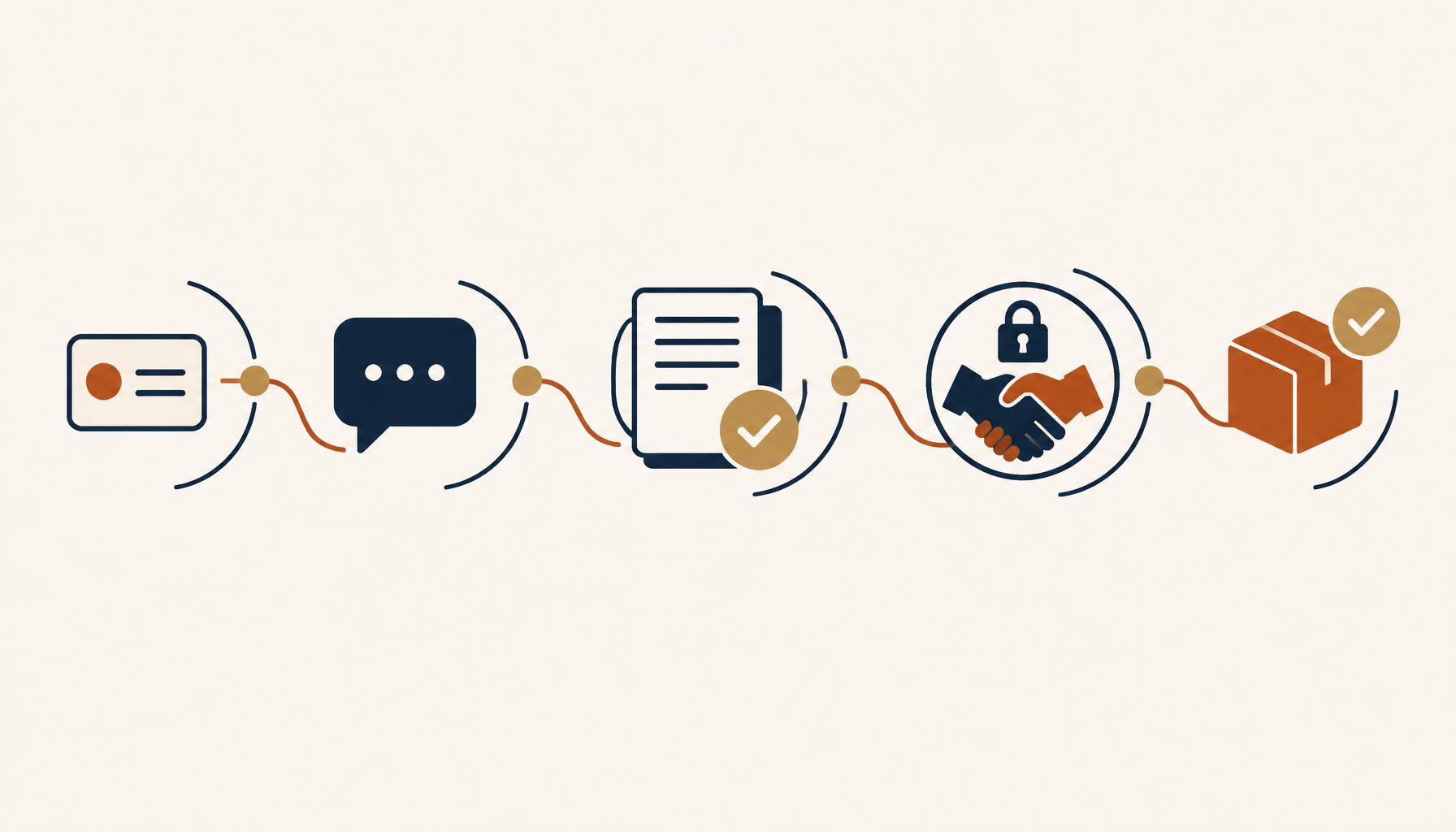
Follow one sale through a typical company and watch where it travels. A visiting card goes into a pocket. The buyer's WhatsApp message is answered by someone who may or may not be the right person. Documents arrive by email. Credit and compliance checks are chased by phone.
A price is agreed in a chat and written down nowhere. And when the customer finally says yes, someone types everything into SAP again and hopes nothing slips.
Nothing in that story is anyone's fault. Each tool does its own job well enough. The trouble is that the sale has to cross the gaps between them. Every gap is a place where a lead goes missing, a record gets duplicated, an approval stalls or a digit goes wrong.
This article walks through the alternative: one connected journey from the first enquiry to a confirmed SAP order, and the repeat order that follows. AI agents handle the routine work and people make every decision that matters. It is written for sales leaders, sales operations, CRM and SAP teams, and anyone planning lead to order automation.
Where The Sale Leaks
Picture a salesperson at an exhibition. They meet a buyer, take a visiting card and scribble a few notes. The card goes into a pocket, the notes go onto a phone, and the lead lives in their head.
A few days later the same buyer messages the company's WhatsApp number. Someone replies, but is it the right person? Is this buyer already a customer? Is a colleague in another region already talking to them? Nobody can say quickly, because every tool is a separate island.
Then documents arrive on email, and credit and compliance checks run on more emails. Someone chases three departments by phone. When it clears, the customer's details are typed again into SAP. A price is agreed on WhatsApp, but is it the latest one? And if the order is confirmed twice, are two orders created?
Lay those moments side by side and a pattern appears. These are the costs of a disconnected process:
- Leads are lost, duplicated or owned by nobody.
- Customers get answers from the wrong person, or no answer at all.
- Documents and approvals are scattered across inboxes and chat threads.
- Credit profiling has no single place to see which department has replied.
- Agreed terms live in chat history, where they get changed or forgotten.
- The same data is typed again and again, so SAP orders can be wrong or duplicated.
- Management cannot see where any customer or deal stands.
The problem is not that people are slow. The problem is that the platforms are disconnected. So the useful question is not how to make each tool faster. It is what would happen if everything from the first enquiry to the SAP order ran as one journey.
One Connected Journey: Gosthi, Mimasa, CRM And SAP
The connected platform for sales automation has four pieces, and each one has a single clear job.
Gosthi
Where the sales team talks and acts. Every lead and customer gets one thread with full history. Teams work in bridges, shared spaces where new leads, approvals and updates appear.
Mimasa
The assistant behind the scenes. It reads cards, voice notes and documents, organises information, asks for reviews and updates the other systems. It never decides credit or prices.
CRM
The record of every lead, customer, document, summary and opportunity.
SAP
Holds the final sales order, and nothing else creates it.
The customer never has to learn anything new. They stay on WhatsApp or email and never join Gosthi. Your team works inside Gosthi. Internal notes, pricing talk and credit comments stay inside. Only the reply a salesperson deliberately chooses goes out.
Three Rules Run Through Every Stage
Never Fill Gaps By Guessing
If a phone number is unreadable or a quantity is unclear, Mimasa asks.
Silence Is Never Approval
Nothing moves forward without the right human approval.
Nothing Is Created Twice
Before any lead, customer, opportunity, message or order is created, the system checks whether one already exists.
The Journey At A Glance
In this journey, each word means something specific. A lead is a possible buyer saved in CRM. A prospect is a lead where sales is satisfied there is a real need. A customer is a prospect that has passed credit profiling and approval.
An opportunity is a specific purchase request from that customer. A frozen deal is an opportunity whose final terms are agreed and locked. Only then does an SAP order exist.
| Stage | What Happens | Who Decides | What Is Recorded |
|---|---|---|---|
| Lead | Captured by a salesperson, or approved from a website or WhatsApp enquiry | The salesperson, or the regional approver on the website and WhatsApp path | A lead in CRM with one owner, and a thread in Gosthi |
| Prospect | Sales confirms a real need and enough information | The salesperson | Ready for onboarding, with the summary in CRM |
| Customer | Documents verified, then credit profiling by three departments in parallel | Each department, then the designated customer approver | The customer in CRM, linked to the SAP customer code |
| Opportunity | A specific purchase enquiry is reviewed | The designated approver, per your policy | An opportunity in CRM against the existing customer |
| Frozen Deal | Final terms are agreed, summarised and confirmed | The authorised person | Terms locked in CRM and Gosthi |
| SAP Order | A separate confirmation, then readiness and duplicate checks | The authorised salesperson | The SAP order number on the CRM opportunity and in Gosthi |
| Repeat Enquiry | The customer comes back | Not a new lead: it enters at the opportunity stage | A new opportunity on the same customer thread |
Notice how many of those decisions belong to people. That is deliberate, and it is what the next five sections show in detail.
Stage 1: Two Doors For A New Lead
A new lead can come in through two doors, and they are treated differently on purpose.
The Salesperson
In your sales bridge in Gosthi, upload a photo of the visiting card, record a voice note or type what happened. Then tag Mimasa and ask it to create the lead.
Mimasa prepares the contact, company, phone, email, location and requirement. It uses your identity as the owner. Unclear fields are listed back for correction. It will not guess a phone number or a quantity.
It checks CRM for the person, company, phone and email. An existing customer switches to the enquiry flow. Otherwise the lead is saved once, with you as owner. No regional approval on this path.
See how this works in sales lead punching automation.
The Website Or WhatsApp
Mimasa answers from approved product information only. Anything outside that scope, and any price commitment, goes to a person. On real buying interest, it asks the standard questions and sends the enquiry form.
No lead is created yet. Mimasa checks the form and looks for an existing lead or customer. A new enquiry goes to the region's approver in Gosthi, who can accept, return for correction, or reject with a reason.
Only after acceptance is the lead saved in CRM. When a salesperson picks up the conversation, automatic replies stop.
Stage 2: Own It, Talk To The Customer, Collect Documents
Once a lead is saved, someone has to own it, and everyone must know who. If you capture the lead, you own it. Website and WhatsApp leads follow the regional rule. If your team claims leads, the first authorised claim wins and later claims are refused. Ownership updates in CRM and Gosthi together.
One Thread Holds Everything
Conversations, documents and next actions stay in the lead's thread. The salesperson reaches out on WhatsApp or email directly from Gosthi. Mimasa prepares a short summary for CRM.
Internal Talk Stays Internal
A customer's WhatsApp message lands in the right thread and the owner is notified. Colleagues discuss pricing and credit inside Gosthi, and the customer never sees it. Only the reply the salesperson picks goes out, with its status shown as sent, pending or failed. Emails work the same way, reviewed before sending and saved with the customer record.
This is the pattern behind WhatsApp customer collaboration through Gosthi, and it is what makes WhatsApp sales automation safe.
Summaries That Separate Fact From Hope
After a conversation, Mimasa summarises the requirement, confirmed facts, open questions, commitments, and the next action with its owner. A customer asking for a price is not the same as both sides agreeing on one, so price commitments go back to the salesperson to confirm.
Documents Handled With Care
The original is kept with who sent it and when. Mimasa checks it opens, identifies the type, and flags missing or unclear values. A reviewer confirms, corrects or rejects it. Only approved information goes into CRM, and an unverified document is never used to approve credit.
Then comes a human decision. The salesperson decides whether this is a real prospect, needs more follow-up, or should be closed with a recorded reason. Credit profiling never starts just because a contact was entered.
Stage 3: From Prospect To Active Customer
When onboarding starts, Mimasa checks documents against your approved checklist and asks for anything missing. Then it opens one case for customer credit profiling (CCP), with a reference, owner, required reviews and live status. An open case is continued, never duplicated.
Mimasa emails three departments together: compliance, market research and credit monitoring. Each email carries the customer details, documents, case reference and the decision needed. It tracks every response and sends reminders. Overdue never becomes approved.
Departments can reply by email or through permitted Gosthi spaces. Gosthi membership alone never grants CRM access. Mimasa matches each report to the right customer, case, department and date before attaching it.
On acceptance, the prospect is converted in CRM with contacts, owner and lead history intact. Only the terms the responsible team approved are recorded. Mimasa never picks a credit limit and never overrides a department's condition.
Then comes the SAP customer code. If there is none, the approved information goes to the customer master team through your existing process. Until the code is confirmed, the customer shows as pending, never as ready. This is where CRM and SAP integration has to be honest about state.
Stage 4: From Enquiry To Frozen Terms To One SAP Order
This is where most automation stories fall apart, so it is worth going slowly. SAP sales order automation only earns trust when each of these six steps is explicit.
- 1
Understand The Enquiry
Mimasa matches the enquiry to the right customer and owner, and works out whether it is a new purchase or part of an existing opportunity. It checks product or grade, quantity, unit, delivery date, location and buyer contact, and asks the owner about gaps. Price is tagged as a request, a quotation or an agreed price. The same request on another channel continues the same enquiry.
- 2
A Human Approves The Opportunity
Mimasa prepares a summary with the requirement, source messages and gaps. The authorised person approves it, and only then is the opportunity created in CRM. An email alone never creates one. If a credit or compliance hold applies, progress stops and the thread shows why.
- 3
Negotiate In Context
Quotes, counter-offers and clarifications stay in the same thread. Mimasa pulls up history, previous quotations and open items, and drafts customer messages for the salesperson to review and send.
- 4
Freeze The Terms
Mimasa builds the final terms summary from the recorded discussion and the CRM record, and flags anything missing, conflicting or unconfirmed. An authorised person confirms it. Any later change needs confirmation again. Freezing locks the terms. It does not create the order.
- 5
A Separate Confirmation Creates The Order
Before it, Mimasa checks readiness: customer approved, SAP setup complete, no open hold, and valid products, units and delivery details. Where SAP expects something different from what was agreed, sales sees the difference. It is never swapped silently. A repeated click returns the same order.
- 6
Wait For SAP's Real Answer
Mimasa says "order created" only when SAP confirms. The order number is saved on the CRM opportunity and posted in the Gosthi thread. If SAP refuses, the reason appears with the next action. Order creation is not delivery or invoicing, and the thread is clear about that.
Stage 5: The Repeat Customer, Without Starting Over
When an existing customer writes again, Mimasa brings the enquiry into the same thread, with full history and the SAP reference in view. There is no new onboarding and no second credit profiling.
The conversation enters at the opportunity stage, not as a new lead. Each purchase is its own opportunity with its own terms, approval and order. Nothing from an earlier deal is quietly reused.
This is the quiet payoff of the design. Because the first journey was recorded properly, the tenth purchase takes minutes of attention rather than hours of searching.
When Something Goes Wrong
A process is only as good as its worst day. Every item is always in one of five visible states, each with an owner and a next action:
Before any retry, Mimasa checks what already exists. If SAP is slow, it confirms whether the order was created first. If a CRM update failed, it fixes only that update. A rejected case stays rejected until your authorised process allows a fresh review.
| What Happened | Who Acts First | What Mimasa Does |
|---|---|---|
| Missing region or owner | Sales operations | Holds the lead, shows what is missing, and notifies sales operations |
| Duplicate or unclear customer | Sales | Shows the possible matches and asks the salesperson to confirm |
| Returned form or document | Owner | Lists what must be corrected and resumes the same item |
| CCP objection or overdue review | Case owner | Shows the objection or reminds the department, and never treats overdue as approved |
| Disputed terms | Salesperson and approver | Flags the conflict and asks for confirmation again |
| Failed CRM or Gosthi update | Owner | Retries only the failed update after checking what already exists |
| Unclear SAP result | Owner | Checks whether the order exists before any resubmission |
What Agents Do And What People Decide
The line is drawn on purpose. An AI sales agent does the reading, matching, drafting, checking and tracking. People make every decision that carries risk or commitment.
Mimasa Does
- Reads cards, voice notes, messages and documents and drafts the record
- Checks for duplicates before creating anything
- Answers customers only from approved knowledge
- Emails departments and tracks every reply and reminder
- Prepares the opportunity and final-terms summaries and flags gaps
- Checks order readiness and submits to SAP
- Reports SAP's real answer and saves the order number
People Decide
- Whether a captured lead is accepted and who owns it
- Whether a contact becomes a prospect or is closed
- What is promised to the customer and at what price
- Whether the customer is accepted, held or rejected
- Whether the opportunity is approved and the terms are frozen
- Whether the order is created
- What happens next if SAP declines
What To Set Up First
The foundation is not technical. It is a set of business decisions that sales order automation then follows. Before anything goes live, agree on:
- Regions and approvers, so every lead has a place to go and a person to decide.
- The location map, so an enquiry from a city or state lands in the right region.
- Ownership, including the bridges (team spaces) that each owner works in.
- Forms and approved knowledge, so customers receive only what you have approved.
- Document checklists, so onboarding asks for the same things every time.
We recommend starting with one region, running the process alongside your current one, and widening only when the team trusts what it sees.