
Visual Detection
Identifies configured objects and visual classes and associates detections with locations and timestamps.
Search inside video using scenes, objects, speech, on-screen text, topics, people, and business metadata—not filenames alone. Mimasa AI combines computer vision, multimodal understanding, semantic retrieval, analytics, and agentic workflows to make large media libraries easier to explore and activate.
Find a programme, clip, or exact moment through natural-language questions and structured filters. Then ask an AI agent to prepare a collection, route a review, generate an archive report, or initiate an approved downstream workflow.
For broadcasters, OTT platforms, studios, production houses, publishers, sports-media teams, and enterprise content owners. See our wider work on AI for Media & Entertainment.
Valuable media is often difficult to reuse because its meaning remains locked inside video and audio. Filenames, folders, and short descriptions rarely capture every speaker, topic, object, location, brand, or visual event within an asset.
Teams may know that relevant footage exists without knowing where it is stored or when the moment appears. Manual archive research becomes slower as libraries grow, while inconsistent metadata limits conventional keyword search.
Mimasa turns media analysis into AI-powered video search. It connects archive assets and related data, creates timestamped intelligence, and allows authorised users to retrieve relevant results using natural-language descriptions, semantic similarity, transcripts, visual detections, metadata, and filters.
Search becomes the start of the workflow. Mimasa can analyse results, build reports, assign reviews, notify teams, or trigger governed actions after the right content is found.
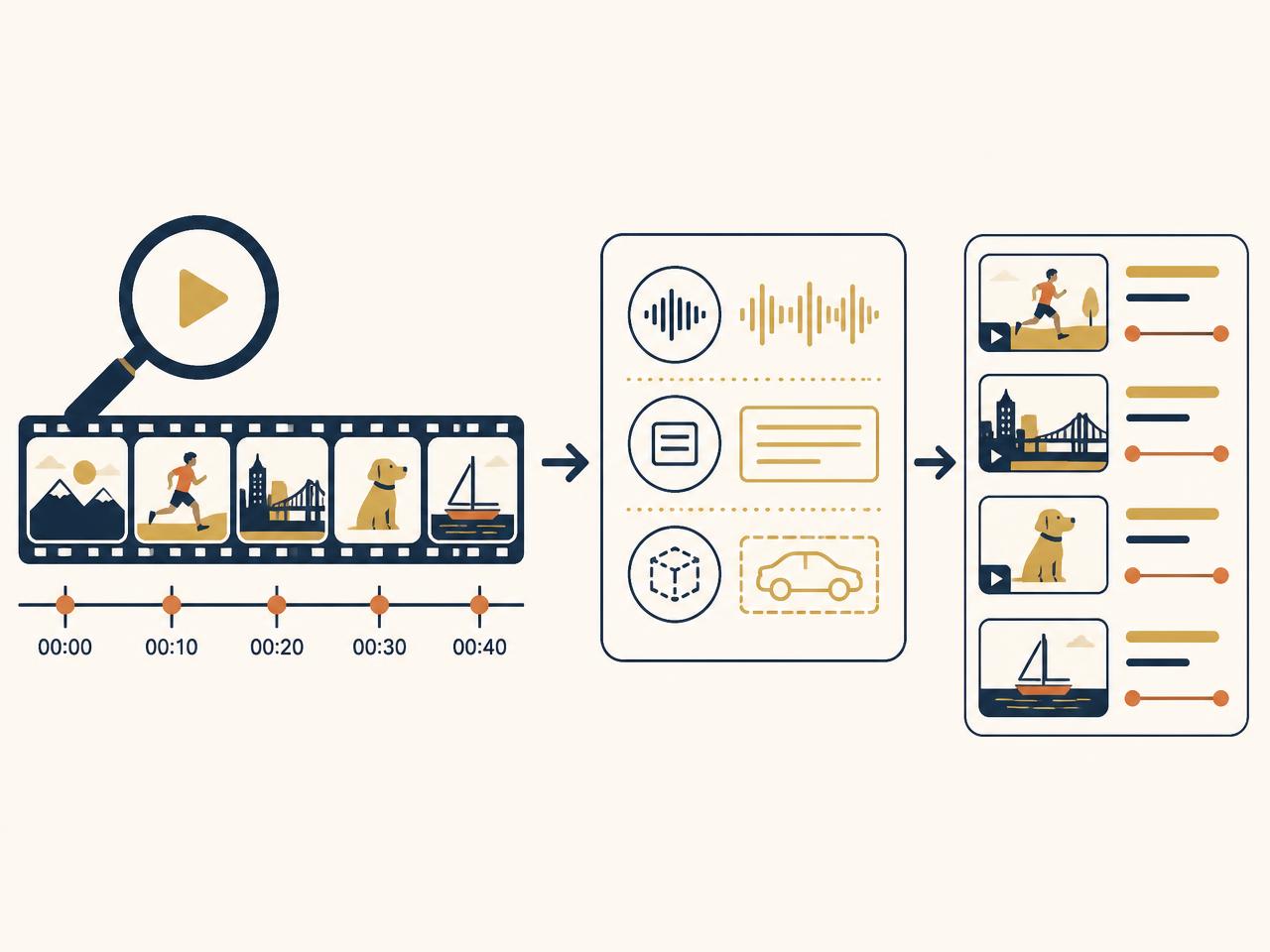
An AI video search engine searches the content within video rather than relying only on file names or manually entered tags. It can use visual objects, scene descriptions, spoken words, transcript entities, on-screen text, timestamps, and existing business metadata to determine which assets or moments match a request.
Identifies configured objects and visual classes and associates detections with locations and timestamps.
Interprets wider context across frames, scenes, transcripts, OCR, topics, actions, and relationships.
Mimasa structures these outputs for semantic and filtered retrieval. A user can search with an everyday description, refine the results with authorised metadata, inspect the supporting moment, and initiate an agentic workflow without moving between disconnected tools.
Describe the concept, activity, atmosphere, or situation you need. Multimodal understanding helps retrieve semantically relevant moments even when the query does not exactly match a transcript or manually assigned tag.
Use visual detections to find configured objects, people, logos, products, vehicles, equipment, or other trained visual classes. Combine visual evidence with date, source, programme, language, or status filters.
Find spoken words, subjects, speakers, names, organisations, locations, and other entities across time-aligned transcripts. Open the result at the relevant point rather than reviewing the entire asset.
Retrieve moments containing titles, captions, graphics, credits, signage, product text, or other OCR-extracted information where the processing workflow supports it.
Use video clip search to find scene- or timestamp-level results. Review the surrounding context, save the relevant segment reference, and route it into an approved collection or production workflow.
Combine semantic relevance with authorised fields such as content type, collection, date, source, language, territory, approval status, contributor, or rights information when those fields are available.
The metadata behind these signals is created by Media Content Intelligence and structured with Data Extraction.
Connect approved object storage, media asset management systems, content platforms, databases, APIs, document sources, and archive repositories. Preserve source identifiers and the relationships between videos, transcripts, metadata, and supporting records.
Apply computer vision for configured visual detections and multimodal AI for scene and context understanding. Coordinate transcript processing, OCR, metadata extraction, and other approved analysis steps where the use case requires them.
Structure scenes, timestamps, detections, transcript segments, entities, topics, descriptions, and business fields. Validate required values and preserve references to the supporting source.
Ask a question or describe the required footage. Combine semantic results with exact transcript matches, detected visual elements, and structured filters. Inspect why a result matched and open the relevant moment.
Ask an authorised agent to assemble results, prepare a summary, create a task, route a review, notify a team, update a connected system, or include approved findings in a report or dashboard.
Most search experiences stop after returning links. Mimasa combines AI content discovery with agents and workflow automation so teams can continue from a relevant result to a controlled business outcome.
An agent can gather matching assets or moment references, remove obvious duplicates, organise the results against defined fields, and assign the collection to an editor, producer, researcher, or archivist.
Agentic Workflow AutomationAn agentic workflow can watch an approved source for new media, run the relevant visual and multimodal analysis, validate required metadata, and make processed assets available for authorised search.
AI AgentsIf a result is uncertain, missing a required field, or covered by a defined policy, Mimasa can create a review task and retain the decision before any downstream action occurs.
Turn authorised search results into collection summaries, research briefs, content inventories, operational reports, spreadsheets, dashboards, or presentations.
Data Visualisation and DashboardsAfter a team selects footage, an agent can retrieve available supporting information, check required workflow fields, request approvals, notify stakeholders, and prepare the next task. Rights, licensing, editorial, or compliance decisions remain with authorised reviewers.
Mimasa supports different discovery needs without forcing every team to search in the same way.
Find prior coverage, interviews, people, places, statements, and visual sequences across programmes and footage libraries. Prepare research collections and route selected results into editorial review.
Explore programmes, episodes, promos, clips, transcripts, and catalogue information through semantic queries and structured filters. Support catalogue operations and internal discovery rather than consumer recommendation.
Retrieve locations, props, scenes, dialogue, contributors, and reusable visual material across approved production archives. Connect selected results with human-led production workflows.
Search recorded footage for configured players, objects, sponsors, actions, commentary, or match context. Review relevant moments before using them in editorial or production outputs.
Find relevant video, audio, transcript, and image material for research and authorised reuse. Build collections around topics, events, people, or organisations.
Improve access to legacy collections with incomplete metadata. Use AI to propose searchable information while preserving source records, reviewer decisions, and existing catalogue authority.
“Find interviews where renewable-energy investment is discussed.”
“Show factory footage containing robotic arms and workers wearing safety equipment.”
“Find every approved clip in which this product appears with its logo visible.”
“Show scenes of heavy rainfall near a city transport hub.”
“Find the exact moment the spokesperson discusses the acquisition.”
“Show Hindi-language clips from 2025 about electric vehicles.”
“Which archived programmes mention this organisation in speech or on-screen text?”
“Create a review collection from the matching clips and assign it to the editorial team.”
The final example deliberately shows the shift from retrieval to agentic workflow automation.
Video question answering allows an authorised user to ask a question about processed media and receive an answer grounded in available scenes, transcripts, detections, and metadata. Mimasa links the response to supporting assets or timestamps wherever the retrieval configuration supports it.
Search finds the relevant media. Analytics explains patterns across it. Agents coordinate what happens next. Explore Data Visualisation and Dashboards.
Mimasa is an intelligence, search, analytics, and automation layer. It does not need to replace the systems that already store, catalogue, manage, publish, or preserve media.
Connect approved sources through available APIs, databases, object storage, repositories, or secure data pipelines. Depending on the target system and permissions, Mimasa can read assets and metadata, store derived intelligence, return source references, initiate reviews, or write approved information back.
Media archives can contain unreleased content, licensed material, personal data, contracts, confidential footage, and commercially sensitive assets. Search permissions must respect more than simple keyword relevance.
Mimasa can apply enterprise controls around which sources a user or agent may access, which fields can be searched, which models may process the content, what an agent can do, and when a person must approve the next step.
Specific retention, residency, privacy, rights, and security requirements are confirmed during solution design. Read more about Data Governance.
Search by meaning, visual evidence, speech, text, timestamps, and metadata instead of relying on filenames alone.
Make legacy and long-form content easier to explore even when its original metadata is incomplete.
Move from a result to a review, collection, report, task, notification, or approved system update through agentic workflows.
Give authorised teams a shared search and evidence experience across connected collections and content types.
Use structured intelligence to understand archive composition, appearances, themes, processing status, and authorised usage.
Apply roles, permissions, thresholds, approvals, and audit trails to sensitive content and consequential actions.
Computer vision detects configured visual classes. Multimodal AI interprets wider scene and content context. Mimasa combines the outputs with transcripts, OCR, metadata, and business records.
Retrieve individual assets and moments, then analyse patterns across the authorised archive using natural-language questions, dashboards, reports, and reusable datasets.
Use agents to monitor sources, prepare results, validate required information, route reviews, generate reports, and coordinate downstream actions.
Control access and agent actions through RBAC, approvals, audit trails, and deployment choices across cloud, private-cloud, or on-premise environments.
Configure taxonomies, fields, filters, models, prompts, confidence thresholds, and workflows around the organisation's content and operating process.
Common questions about AI video search, content discovery, and governed archive workflows.
Start with one representative archive and one valuable discovery workflow. Define the queries, visual classes, metadata, permissions, review rules, integrations, and success measures before expanding across the wider media library.
Monitoring live cameras instead of archives? See AI Video Analytics.