
No-Code Data Transformation Through Natural Language
Clean, combine and prepare governed enterprise data without writing complex scripts. Mimasa AI gives business and data teams more than 100 transformation functions for filtering, joining, aggregating, normalising and calculating data through plain English instructions.
Enterprise Data Rarely Arrives Ready For Use
Information pulled from different systems carries inconsistent date formats, duplicate records, missing values, mismatched column names, unnecessary fields and different levels of detail. Somebody has to reconcile all of that before a single question can be answered, and today that work usually falls to whoever is fastest with formulas.
Formats Never Match
Dates arrive in three formats, state names are spelled four ways and the same customer appears twice with different punctuation. Every team fixes it again in its own copy of the file.
The Detail Is In The Wrong Shape
One system records every transaction line, another records monthly totals. Before anyone can compare them, the information has to be grouped, joined and reconciled by hand.
The Same Script, Rewritten
A new requirement means another script or another column of spreadsheet formulas. The logic lives in someone's file, so the next person rebuilds it slightly differently.
Poor preparation creates downstream inconsistency before analysis even begins: two teams report different totals for the same month and the meeting turns into a reconciliation exercise. Enterprise data transformation is the bridge between raw or extracted information and dependable downstream use, and data cleaning and transformation belong together in one governed step rather than in a chain of private files.
Describe The Transformation Instead Of Writing The Script
Natural-language data transformation means you state the operation the way you would explain it to a colleague. Mimasa AI interprets the request and applies the matching built-in functions, so no-code data preparation replaces another round of scripting. Clear instructions produce better results, and the transformed output should always be reviewed before it is used for a decision.
Because the same AI data transformation instructions can be repeated on the next dataset, these data transformation tools also make routine preparation consistent between people and between reporting cycles.
Instructions People Actually Type
- “Remove duplicate vendor records using the GST number.”
- “Convert all invoice dates to the same date format.”
- “Join the purchase-order table with the invoice table.”
- “Group monthly sales by region and product category.”
- “Remove rows where the customer identifier is missing.”
- “Create a new column for the difference between budget and actual.”
- “Calculate average delivery time by supplier.”
- “Sort the result by outstanding amount from highest to lowest.”
- “Standardize state names across all records.”
- “Merge these two datasets using the order number.”
From Raw Data To A Prepared Dataset
A single data transformation workflow, from the dataset you are allowed to use to the prepared result other products can rely on.
Select The Data
Choose an authorised dataset, an extracted result or an existing intelligent data snapshot as the input.
Describe The Required Change
State the filters, joins, calculations, cleaning rules or formatting changes you need in natural language.
Apply Built-In Functions
Mimasa AI applies the relevant operations from a library of more than 100 built-in transformation functions.
Review The Result
Inspect the transformed dataset and confirm it says what you expected before anyone depends on it downstream.
Continue The Data Journey
Reuse the prepared data as a governed dataset or snapshot, and in dashboards, reports, presentations, AI agents and workflows.
The result of this self-service data preparation is a dataset other people can use with confidence, whether it feeds a dashboard, a scheduled report or an automated workflow.
More Than 100 Functions For No-Code Data Transformation
The operations enterprise teams repeat most, available as built-in functions in one data transformation platform rather than as bespoke code per request.
Filter Data
Keep or exclude rows against business conditions — date ranges, regions, statuses, numeric thresholds, missing values or business categories — so the dataset holds only what the question needs.
Sort And Rank Data
Order records by date, amount, performance indicator or category to bring the largest exposures, the oldest items or the weakest performers to the top of the list.
Aggregate And Summarise
Group information and calculate totals, counts, averages, minimum and maximum values, or category-level summaries when the raw line detail is finer than the decision requires.
Join And Merge Datasets
Combine related datasets on shared identifiers such as customer IDs, invoice numbers, purchase-order numbers, product codes or supplier identifiers. A join needs a genuinely compatible field on both sides.
Clean And Normalise
Standardise dates, names, categories, units and text formats, remove duplicates and handle missing entries so two sources describe the same thing the same way.
Derived Columns And Metrics
Create calculated values from existing fields — margin, variance, aging, duration, growth or percentage contribution — as part of the prepared dataset rather than in a downstream formula.
Apply Calculations Once, Not Every Month
Business calculations such as margin, aging or variance can be created as part of the prepared dataset instead of being rewritten as spreadsheet formulas each cycle. The definition travels with the data, so everyone downstream measures the same thing the same way.
See How Simple Data Transformation Becomes
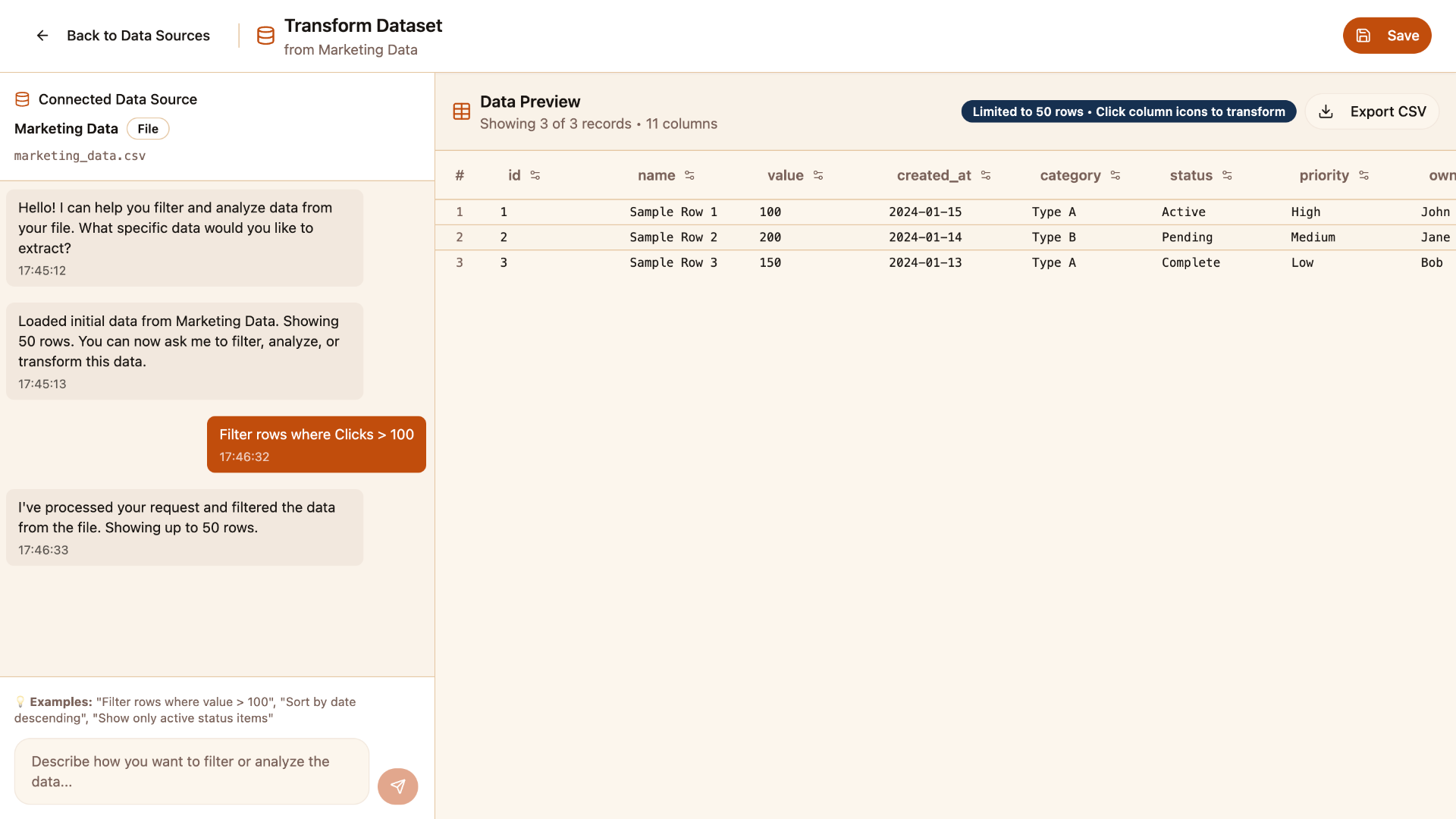
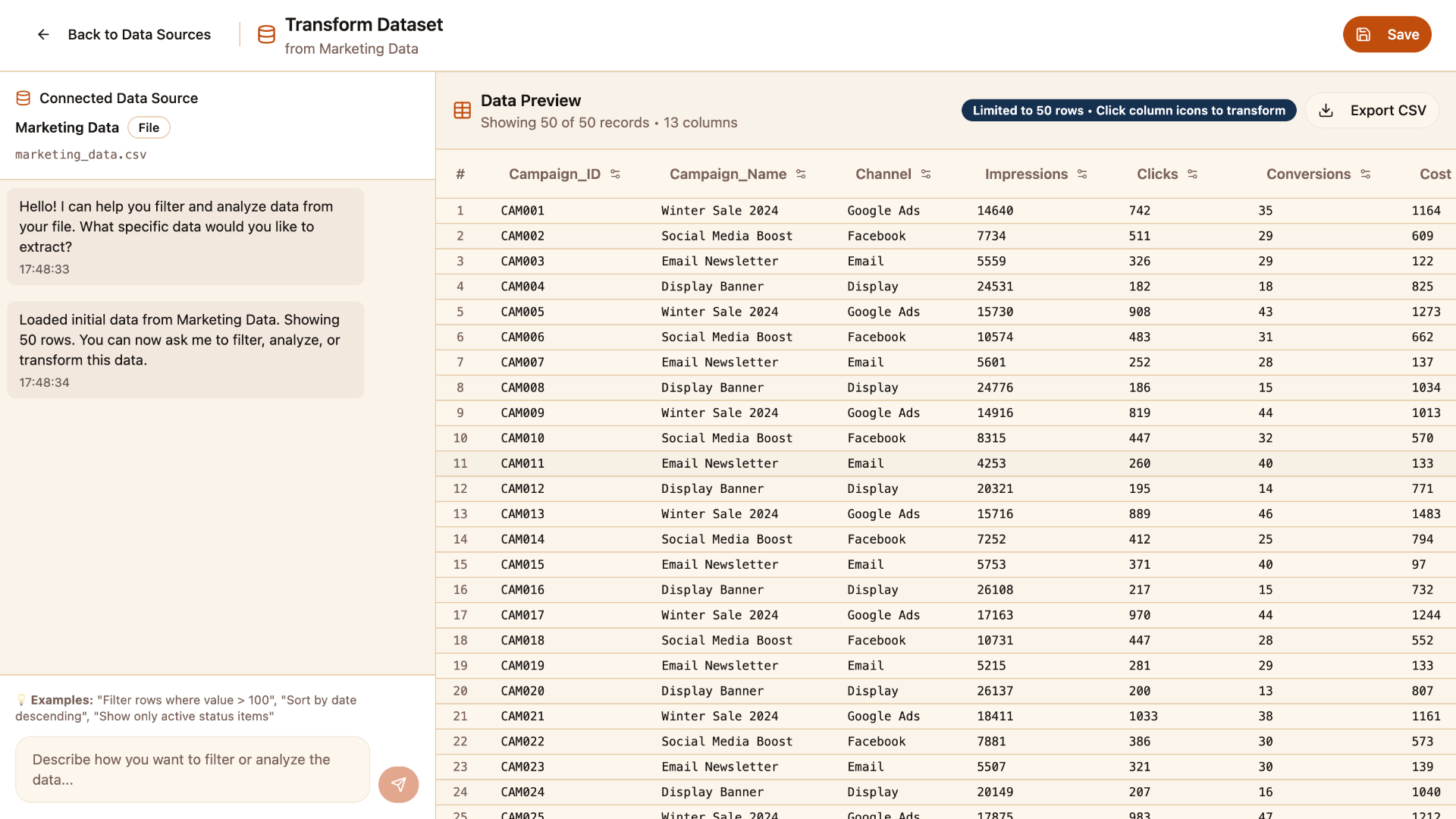
Watch a raw dataset get filtered, joined, cleaned and aggregated through plain instructions — no scripts, no pipeline tickets, no spreadsheet copies.
- Describe the change in the words you already use
- Review the transformed result before you keep it
- Save the prepared data as a reusable, governed asset
Transform Data Within A Governed Enterprise Foundation
No-code transformation should not mean uncontrolled modification. Governed datasets and clear metadata tell users what an input contains before they change it, and the prepared result stays inside the same controlled data lifecycle. Transformation and governance are related but not identical: transformation changes the structure or content of the data, while governance controls how data is organised, accessed, understood and shared.
Mimasa AI's data catalog capabilities help authorised users find and understand a dataset before preparing it. Transformation on its own does not create regulatory compliance; it keeps preparation inside the controls your organisation already operates.
Explore Mimasa AI's data governance software- Users work only with information they are authorised to access.
- Dataset ownership stays clear after the data is prepared.
- Metadata helps explain what the input dataset actually contains.
- Teams prepare consistent downstream datasets instead of private variants.
- Governed inputs reduce reliance on uncontrolled spreadsheet copies.
- Prepared results can become reusable assets for the whole team.
Extract First. Transform Next.
Data extraction retrieves relevant information from connected databases such as PostgreSQL, MySQL, Oracle and Snowflake. Transformation then filters, combines, cleans and prepares that extracted information for use. Mimasa AI's data extracting software handles the retrieval step so this product can concentrate on preparation.
An operations team might extract shipment records from a connected database, join them with supplier data, normalise location names, calculate delivery delays and prepare the result for a dashboard or an exception workflow — one continuous path of data integration and transformation rather than four disconnected exports.
Connect and retrieve data with Mimasa AI Data Extraction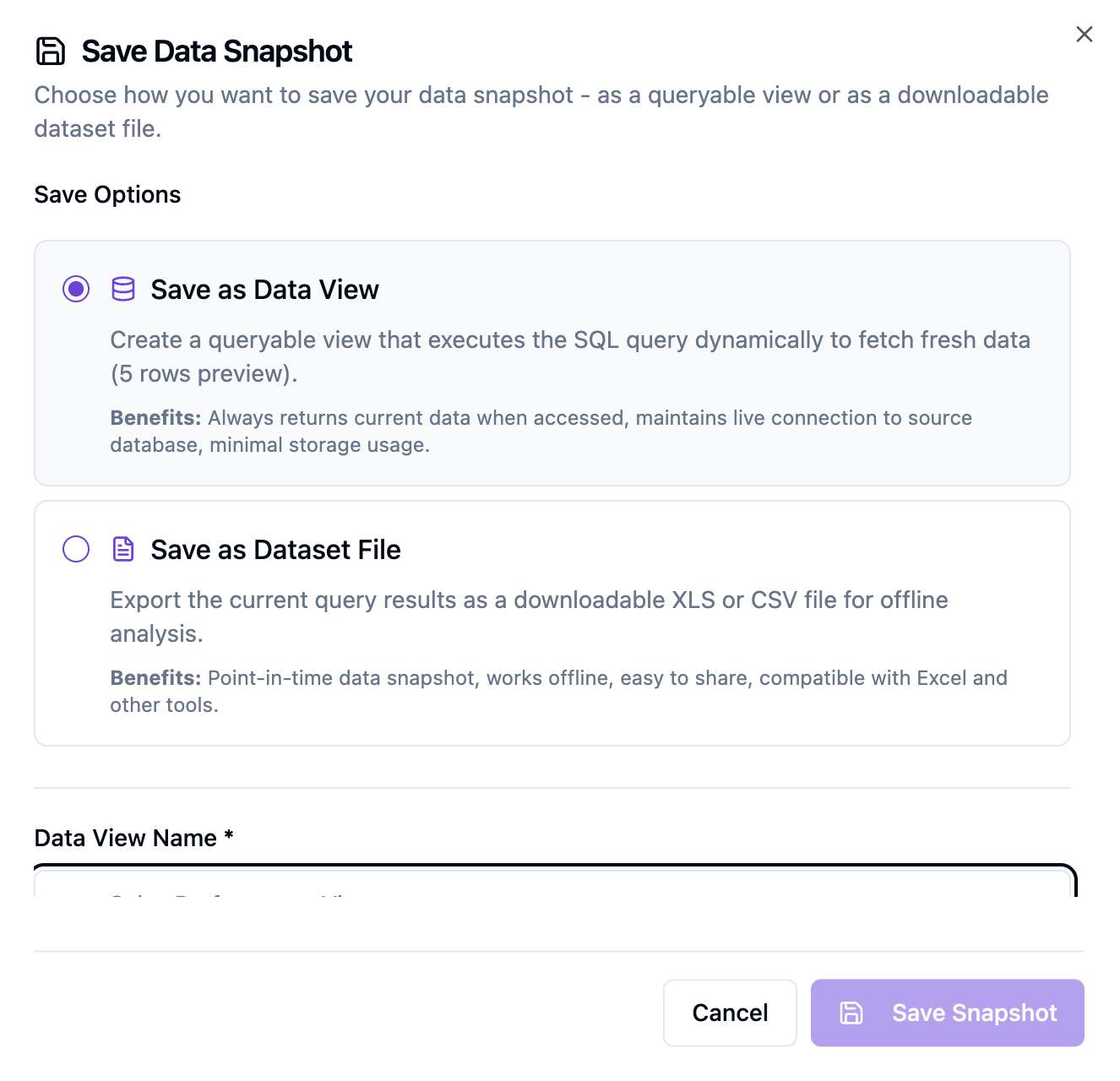
Preserve Prepared Data As An Intelligent Snapshot
Once a dataset is prepared, it should not have to be prepared again next month. A snapshot preserves a reusable, governed view: consistent inputs for repeated analysis, point-in-time comparison, shared access to the same prepared information and steadier context for AI agents and workflows.
The distinction is simple. Transformation changes or prepares the data; a snapshot preserves a reusable view of it.
Create reusable Intelligent Data SnapshotsReduce Routine Data Preparation Without Replacing Data Engineers
AI tools for data engineering are most useful when they remove repetitive work rather than ownership. Mimasa AI distributes routine preparation to authorised users and leaves architecture, controls and critical pipelines where they belong.
Data Engineering And IT Teams
- Manage source connections
- Establish governance and permissions
- Handle complex data architecture
- Maintain critical pipelines
- Define approved business rules
- Support high-risk transformations
Authorised Business And Analytical Users
- Perform routine filtering
- Combine approved datasets
- Standardise common formats
- Create calculated fields
- Prepare information for reports
- Refine data for one business question
The effect is less backlog pressure and less routine scripting, with complex architecture and high-risk changes still handled by the specialists. Used this way, AI tools for data engineering support the team rather than working around it.
No-Code Data Preparation Across Enterprise Functions
Finance
- Join invoices with purchase orders
- Standardise vendor information
- Calculate invoice aging
- Group expenses by business unit
- Prepare monthly reporting datasets
Sales
- Merge customer and opportunity information
- Normalise account names
- Calculate conversion metrics
- Prepare regional sales views
Operations
- Combine production and quality records
- Calculate cycle and delay metrics
- Filter process exceptions
- Standardise plant data
Supply Chain
- Merge supplier, order and delivery information
- Calculate delivery performance
- Normalise product and location identifiers
- Prepare supplier-performance datasets
Marketing
- Combine campaign and lead data
- Standardise channels
- Calculate performance metrics
- Prepare campaign reporting inputs
Government & Public Sector
- Standardise departmental datasets
- Combine programme and regional records
- Prepare data for monitoring and reporting
- Maintain consistent formats across sources
Prepare Data Once, Use It Across Mimasa AI
Preparation happens before analysis. Once a dataset is ready, the same governed result carries into every product that depends on it.
Dashboards & Visualization
Build interactive charts and dashboards on data that has already been cleaned and joined.
Insights & Reporting
Use consistent prepared information in recurring and on-demand reports.
Data Presentation
Turn prepared data and findings into business presentations for review meetings.
AI Agents
Give authorised AI agents structured business context instead of raw, inconsistent records.
Agentic Workflows
Use prepared information in conditions, decisions, approvals and automated actions.
Intelligent Data Snapshots
Preserve a prepared result as a governed, reusable view for recurring work.
Why Teams Choose Natural-Language Data Transformation
Mimasa AI Versus Manual Data Preparation
How data transformation software with natural-language instructions differs from spreadsheets and hand-written scripts. Complex transformations may still call for specialist engineering.
| Capability | Manual Data Preparation | Mimasa AI |
|---|---|---|
| Instructions | Formulas, SQL or scripts | Natural-language instructions |
| Primary users | Technical or spreadsheet-skilled users | Authorised business and data users |
| Functions | Created manually for each task | More than 100 built-in functions |
| Filtering and sorting | Manual configuration | Requested through natural language |
| Joins and merges | Formulas, SQL or scripts | Guided no-code data transformation |
| Cleaning | Repeated manual steps | Built-in cleaning and normalisation functions |
| Calculated fields | Spreadsheet formulas or code | Natural-language derived columns and metrics |
| Governance | Often handled separately | Connected with Mimasa AI's governed data layer |
| Downstream use | Separate exports and tools | Snapshots, dashboards, reports, agents and workflows |
For most teams this is the practical difference between a self-service ETL approach and a queue of scripting requests.
One Governed Data And Analytics Software Foundation
Extraction, governance, transformation, snapshots, dashboards, reports, agents and workflows share the same definitions, so prepared data keeps its meaning everywhere.
Data Transformation FAQs
Common questions about no-code data transformation, governance and downstream use in Mimasa AI.