
Governed, Reusable Data Snapshots For Enterprise Teams
Save extracted enterprise data as an intelligent data snapshot instead of another spreadsheet copy. One governed dataset, reused across analysis, dashboards, reports, AI agents and workflows — with CSV and Excel export when a file is genuinely needed.
Most Enterprise Data Work Gets Done Twice
The effort in a data request is rarely the query itself — it is the thinking about what to include, which period to use and how to filter it. That thinking is usually discarded the moment the result is downloaded. Next cycle, someone reconstructs it from scratch, and the organization ends up with more files than answers.
The Same Extract, Every Week
A recurring question produces a fresh export each cycle. The work is identical, the effort repeats, and nothing from last month's version is reusable.
Copies Multiply Quietly
One request becomes a file, the file becomes an email attachment, and the attachment becomes three edited versions. Nobody can say which one is current.
Numbers Stop Agreeing
Two teams present the same measure with different values because each pulled it at a different moment, with slightly different filters, into a separate file.
Intelligent data snapshots address that by keeping the result of a request inside the governed platform as a reusable data asset. The work is done once, stays under the access rules your data team defined, and remains available to the people who need it.
A Saved Dataset, Not Another Download
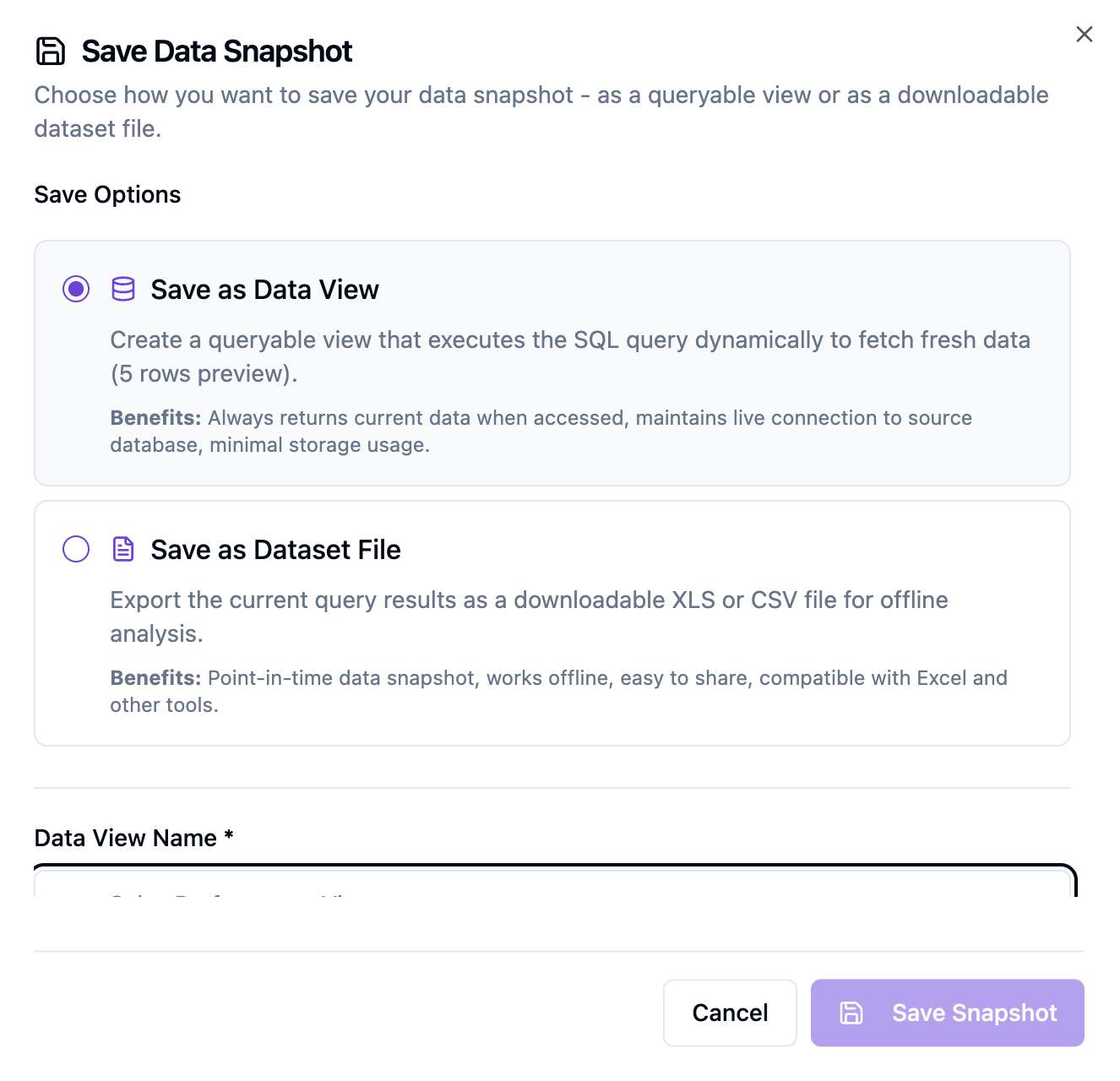
An intelligent data snapshot is the result of an extraction, preserved inside the governed data layer. It keeps its workspace, its ownership and its access rules, so reusing it later is a normal governed action rather than an untracked file transfer.
- Created from data extracted through connected enterprise databases
- Stored inside a governed workspace with defined ownership
- Reusable by the teams your permissions allow
- Available to transformation, dashboards, reporting and presentation
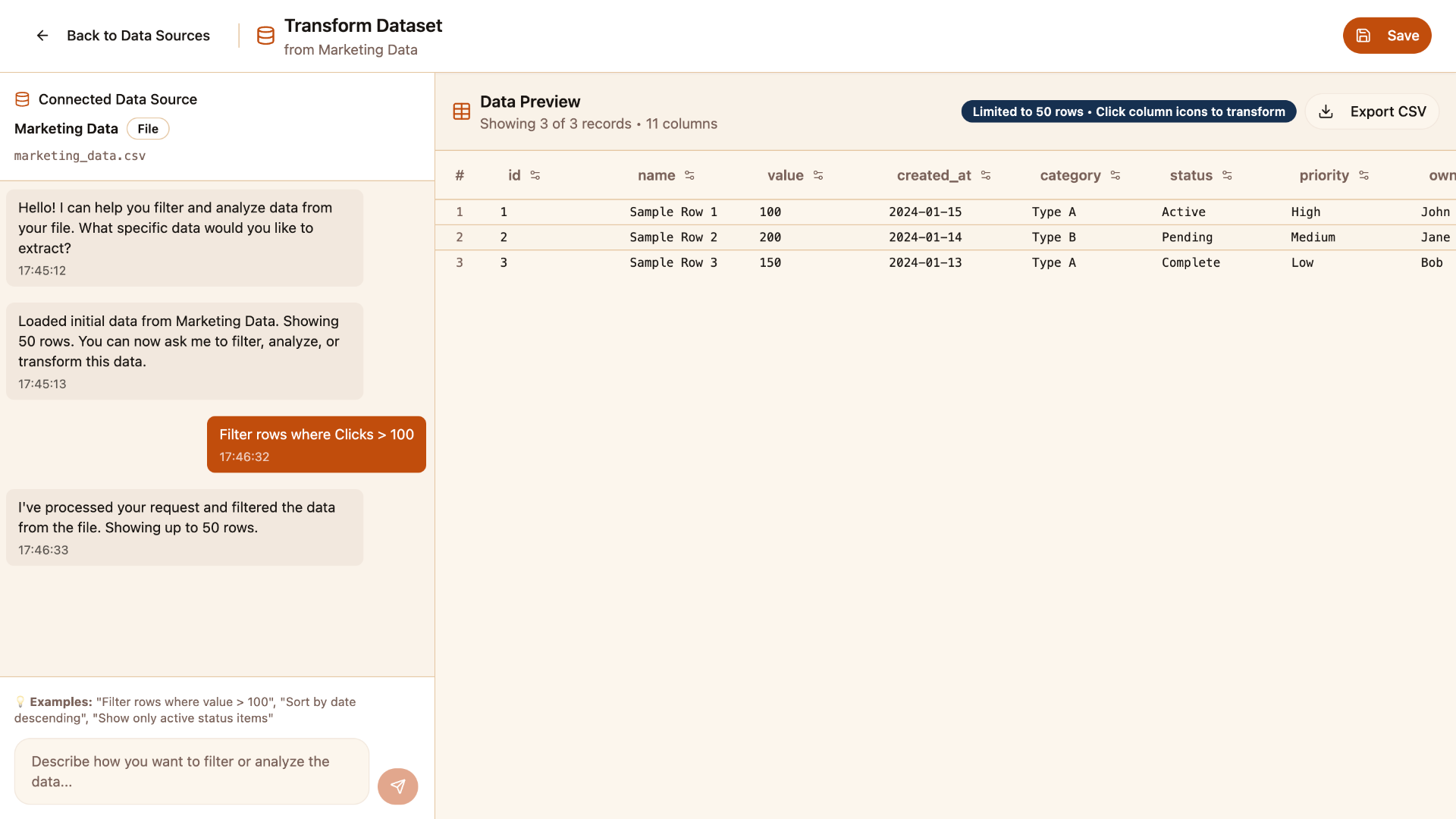
- Exportable to CSV or Excel when an external file is required
A snapshot preserves the data as it was retrieved. That is deliberate: consistent analysis and repeatable reporting depend on a figure that does not quietly change between the meeting where it was presented and the review where it is questioned.
What Governed Snapshots Give Your Teams
Snapshots sit between extraction and everything that follows it, which is why they change how consistent the rest of your analytics feels.
Reusable Data Assets
Save extracted information as a first-class asset in the platform rather than a disposable download, so the work behind a result is not thrown away after one use.
Governed By Default
Snapshots live inside the same governed workspaces, ownership and permission boundaries as the rest of your data, so reuse never becomes a route around data governance software.
Consistent Across Teams
Finance, sales, operations and management reporting can work from one governed dataset instead of four separate exports that quietly disagree.
CSV And Excel Export
Authorized users can still produce a file for auditors, regulators or partners — the difference is that the file has a traceable source inside the platform.
Ready For Downstream Work
A snapshot can continue into transformation, dashboards, automated reports, presentations, AI agents and agentic workflows without a new extraction.
Repeatable Analysis
Because the dataset is preserved as retrieved, the same analysis can be repeated, reviewed and explained later rather than reconstructed from memory.
From A Question To A Reusable Dataset
Six steps, each of them staying inside the access boundaries your data team controls.
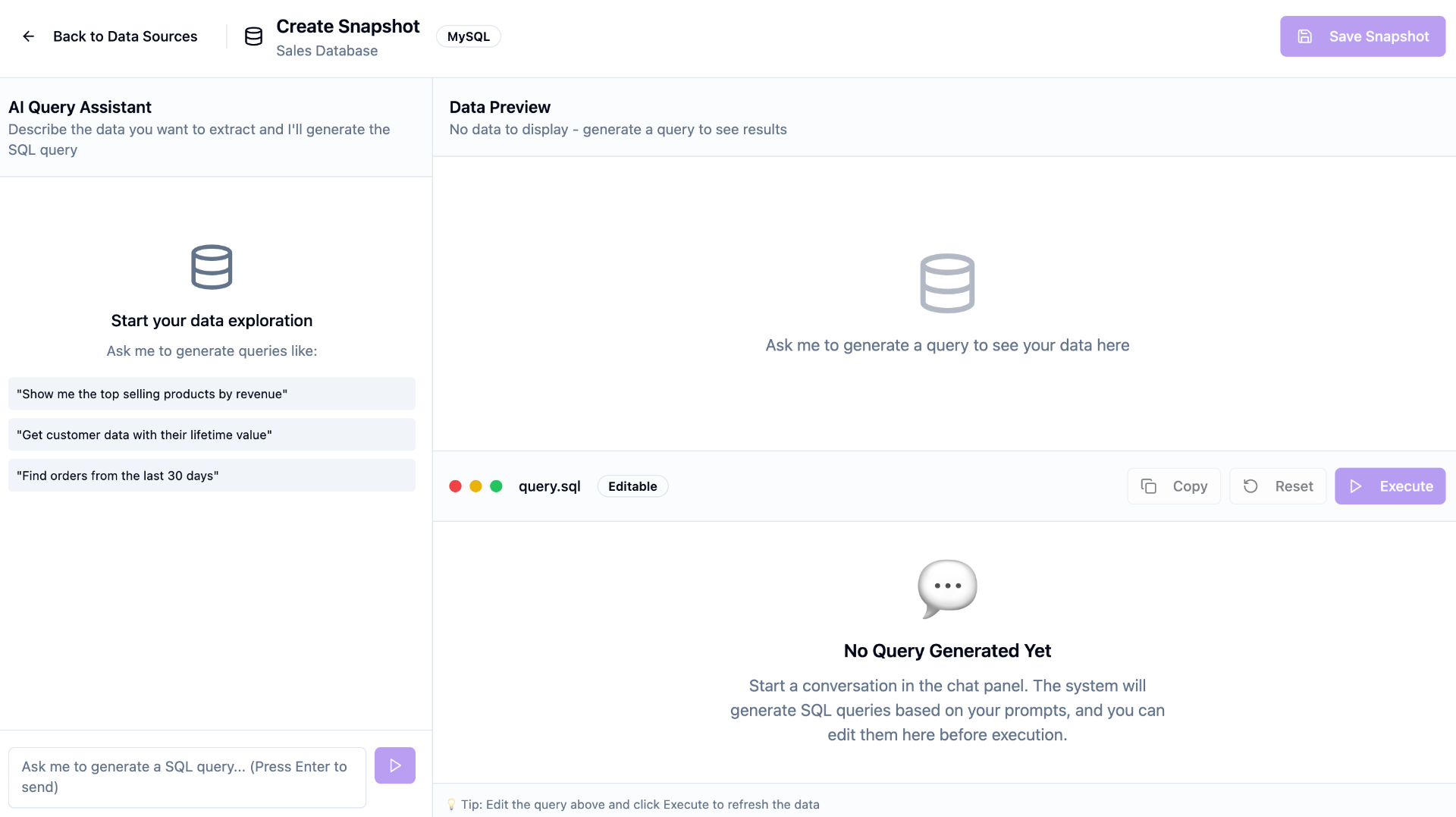
Extract What You Need
Describe the information required in plain English against a connected database — PostgreSQL, MySQL, Oracle or Snowflake — within the access your data team has configured.
Review The Result
Check the returned records, measures and period before committing to them, so what you preserve is what you actually meant to ask for.
Save It As A Snapshot
Store the result as an intelligent data snapshot inside the governed workspace instead of downloading yet another spreadsheet copy.
Reuse It Across Teams
The same governed dataset is available to everyone permitted to see it, so analysis, dashboards and reports start from one shared version.
Transform Or Analyze Further
Take the snapshot into no-code transformation, dashboards, automated reporting or presentations without re-running the original extraction.
Export Only When Needed
When an external party genuinely needs a file, export to CSV or Excel — with a governed source still sitting behind it inside the platform.
Watch A Snapshot Being Saved And Reused
The short walkthrough shows an extracted result being preserved as a governed dataset and then picked up again for further work — no re-running the original request, no fresh spreadsheet, no guessing which version is current.
It is the difference between data work that accumulates value and data work that resets every month.
Self-Service That Does Not Bypass Governance
Reuse is only safe when it inherits the same rules as the source. Snapshots stay inside governed workspaces, so making data easier to reuse does not make it easier to leak.
Data And IT Teams
- Configure connections and governed workspaces
- Decide which datasets and databases are reachable
- Assign permissions for creating and reusing snapshots
- Review sensitive datasets and their intended use
Business And Analytical Users
- Extract the information their work requires
- Save results as reusable snapshots
- Share governed datasets with the teams that need them
- Use snapshots in analysis, dashboards and reporting
Between Extraction And Everything Downstream
Data Extraction & Connectivity
Retrieve the information a snapshot is built from, using natural-language requests against connected enterprise databases.
Data Governance
Manage access, ownership, metadata and controlled collaboration so saved datasets stay inside the right boundaries.
No-Code Data Transformation
Clean, combine, enrich or reshape a saved snapshot without writing scripts, then save the result again.
Dashboards & Visualization
Drive interactive charts and operational dashboards from a governed dataset rather than a manually refreshed file.
Insights & Automated Reporting
Produce recurring reports from a consistent snapshot so the same measure means the same thing every cycle.
Data Presentation
Carry the same governed figures into executive presentations and narrative summaries without re-keying them.
Stable Data For Agentic Automation
An AI agent is only as reliable as the data it works from. A governed snapshot gives agents and agentic workflows a permission-controlled dataset instead of an unmanaged file someone happened to share.
Access still follows the permissions your data team assigned, so automation operates inside the same boundaries as the people it works alongside.
- A finance agent works from a saved receivables dataset when preparing an exception summary.
- A sales workflow references a governed pipeline snapshot before drafting an account review.
- An operations agent compares current performance against a preserved baseline dataset.
- A reporting workflow assembles a monthly pack from the snapshot the business already approved.
- An approval workflow attaches the governed dataset behind a recommendation for human review.
Where Teams Use Governed Snapshots
Finance
- Preserve month-end receivables
- Reuse expense datasets across reviews
- Keep audit-ready extracts
- Feed finance dashboards consistently
Sales
- Save pipeline positions by period
- Compare regional performance over time
- Share one account dataset
- Support quarterly business reviews
Operations
- Preserve order and delivery extracts
- Track exception datasets
- Reuse plant-level records
- Baseline process performance
Supply Chain
- Save supplier performance datasets
- Preserve shipment status extracts
- Compare delivery timelines
- Reuse inventory-related data
Management Reporting
- Lock the numbers behind a report
- Keep definitions stable across cycles
- Avoid last-minute re-extraction
- Align dashboards and reports
Government & Public Sector
- Preserve authorized scheme datasets
- Support departmental analysis
- Keep governed reporting inputs
- Retain comparable period data
Less Repetition, Fewer Disagreements
- Stop re-running the same extraction every reporting cycle
- Reduce uncontrolled spreadsheet copies across the organization
- Give teams one governed version of a dataset
- Keep reuse inside governed access boundaries
- Make recurring analysis repeatable and explainable
- Shorten preparation time for dashboards and reports
- Provide stable, permission-controlled context to AI agents
- Export to CSV or Excel only where a file is genuinely required
- Let data teams spend less time on repeat requests
Spreadsheet Exports Versus Governed Snapshots
| Dimension | Spreadsheet Exports | Mimasa AI Snapshots |
|---|---|---|
| Where the result lives | A downloaded file on someone's machine | A governed asset inside the platform |
| Reuse | Re-extracted or re-sent each time | Saved once and reused by authorized users |
| Versions | Multiple edited copies in circulation | One shared dataset teams work from |
| Access control | Whoever received the attachment | Permissions set by your data team |
| Consistency | Depends on when each person pulled it | The same preserved dataset for everyone |
| Downstream use | Manual copy-paste into other tools | Transformation, dashboards, reports, agents and workflows |
| Export | The file is the only copy | CSV or Excel with a governed source behind it |
| Auditability | Hard to explain months later | The dataset behind the analysis is still there |
Explore The Rest Of The Platform
Snapshots are one capability inside the Mimasa AI data intelligence stack.
Data Snapshots: Frequently Asked Questions
Common questions about governed, reusable datasets in Mimasa AI.