
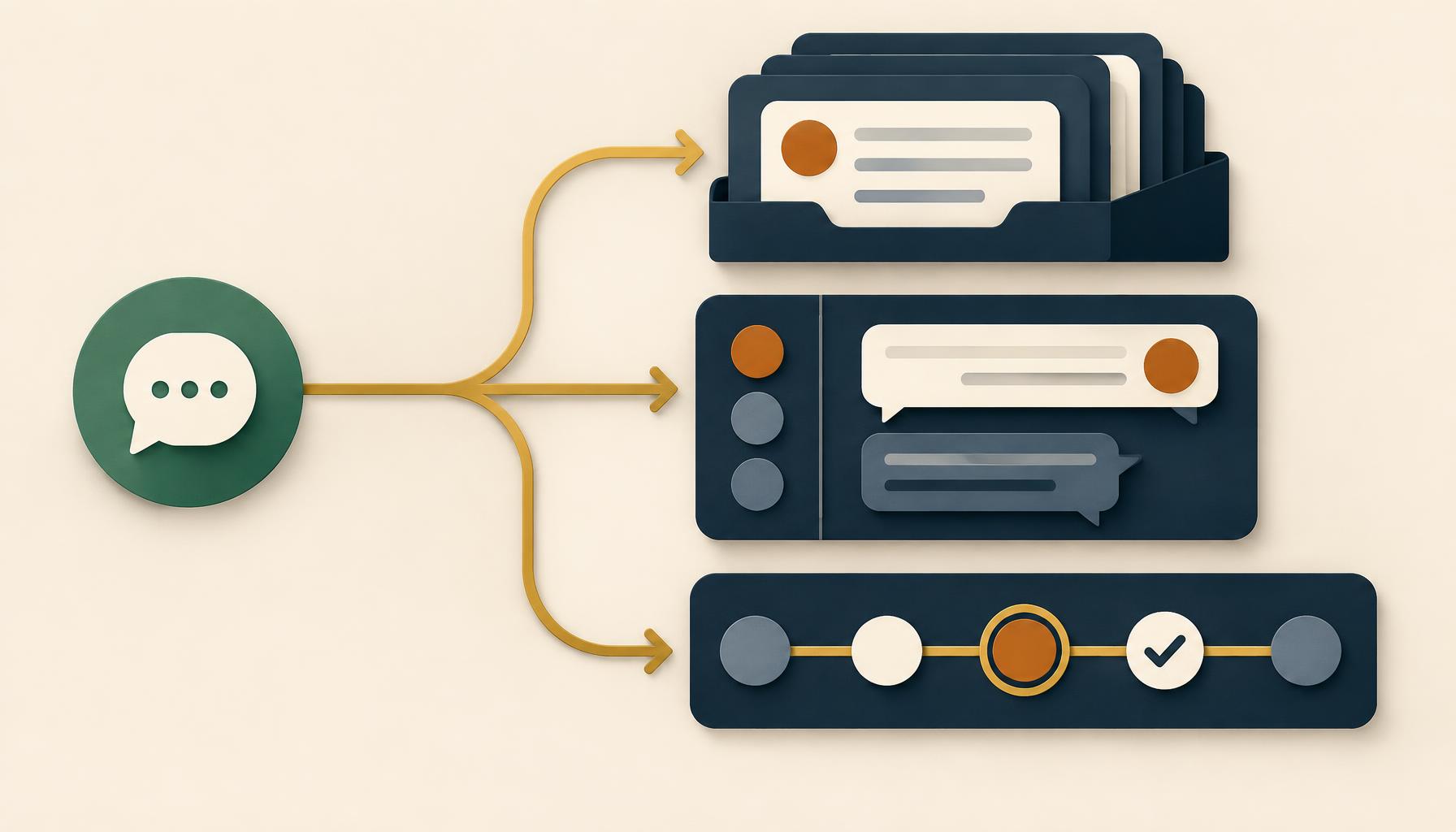
Search for a WhatsApp tool and three categories claim the same job: managing customer conversations in one place.
A CRM says it. A shared inbox says it. A helpdesk says it too.
They are not doing the same work. Each answers a different operational question. Once those questions are clear, choosing a tool stops being a guessing game.
Why These Tools Get Confused
Software categories blur into each other. A helpdesk adds a chat window and calls itself a shared inbox. A CRM adds messaging and describes itself as a customer service platform. The label changes, but the underlying job does not.
The simplest fix is to stop comparing products and start comparing responsibilities.
WhatsApp CRM
Who is this person, and what is their history?
Shared Inbox
Who owns this conversation right now?
Helpdesk
What is the status of this formal case?
What A WhatsApp CRM Does
A CRM is the system of record. It holds a customer's identity, account history, and permitted interactions after a conversation ends.
When a WhatsApp message arrives, a CRM integration can check the sender's number against existing records and suggest a possible match. That helps with routing, but a match is not proof of identity.
Phone numbers can be shared, reassigned, mistyped, or attached to duplicate records. The team should verify the person before sharing private information such as an order status or balance.
When the exchange ends, the CRM can store the permitted outcome: enquiry type, owner, timestamp, and reviewed summary. Decide whether it keeps full text, an extract, or a link to the thread based on retention policy rather than an integration default.
What A Shared Inbox Does
A shared inbox handles the conversation happening now. Instead of several people watching one business number and hoping somebody replies, every customer has a separate thread with one assigned owner.
The owner can leave internal notes, ask colleagues for help, and see whether a reply was delivered. The customer stays on WhatsApp and never sees the team's internal coordination.
A shared inbox is also different from a group chat. It keeps each customer in a private thread rather than placing several customers or staff into one visible space.
The WhatsApp Customer Collaboration Through Gosthi use case shows this employee-owned model working alongside an existing CRM.
What A Helpdesk Does
A helpdesk tracks formal cases. Something opens, receives a status, moves through defined steps, and closes against a service target.
That structure earns its place when a team measures case resolution, manages escalation tiers, or needs an audit trail for every ticket. Not every WhatsApp message needs that lifecycle.
A quick order-status question answered in two messages may only need a shared inbox and clear ownership. A billing dispute involving several departments over a week may need a formal case.
WhatsApp CRM Vs Shared Inbox Vs Helpdesk
| Tool | Core Question | Best At | Not A Substitute For |
|---|---|---|---|
| WhatsApp CRM | Who is this person, and what is their history? | Customer identity and long-term account context | The conversation owner |
| Shared Inbox | Who owns this conversation right now? | Live messages, assignment, notes, and delivery state | The full customer record |
| Helpdesk | What is the status of this formal case? | Tickets, statuses, service targets, and escalations | Every quick customer question |
One Message, Three Tools, No Overlap
This illustrative scenario uses fictional, masked data. A customer writes: "Could you check order 184?"
- 01
Possible CRM Match
The number suggests a customer record. The team still verifies the person before revealing private information.
- 02
Owned Inbox Thread
The message enters a dedicated shared-inbox thread and reaches one responsible service owner.
- 03
Authorised Source Check
The owner checks the current order in the approved order system, not from memory or an old CRM note.
- 04
Reply And Record
The answer returns through WhatsApp. The CRM receives only the permitted outcome and summary.
If the business runs a helpdesk for formal complaints, this exchange may never touch it. It closed in one thread with no case number. Nobody's tool did another tool's job.
The Mistake That Creates Real Risk
Treating a CRM match as proof of identity can expose private information. A displayed customer name is only a routing clue until the person is verified.
The safeguard is a habit as much as a feature: see the possible match, verify the person, then answer. This matters more than which category name appears on the software.
How To Choose Without Overthinking It
Start With A Shared Inbox
You need one clear place to reply, visible ownership, private customer threads, and safe internal coordination.
Connect Your Existing CRM
The conversation should use customer history and leave a useful, permitted record after the live exchange ends.
Add A Helpdesk When Cases Need It
Your team measures formal resolution, follows escalation tiers, or manages work against service targets.
This approach does not require replacing a CRM that already works. Keep each system responsible for the job it handles well and make the handoffs explicit.
Where Mimasa AI Fits
Mimasa AI can provide the orchestration layer between WhatsApp, Gosthi, an existing CRM, and approved business systems. A configured workflow can check a possible record, route the message, record a permitted outcome, and expose failed handoffs for retry or human review.
The existing systems remain the records for their domains. People retain control of identity checks, private account answers, and exceptions. The Agentic Automation layer coordinates the work between them.
When suitable conversations are handled automatically rather than by an employee, the separate WhatsApp AI Customer Service Agent use case explains the approved-answer, workflow, and human-handoff model.
The Decision Is About Jobs, Not Labels
A CRM preserves the relationship record. A shared inbox makes today's conversation accountable. A helpdesk governs a formal case. Good customer service does not force one tool to imitate all three.
The strongest setup gives each system a clear responsibility, connects the handoffs, and keeps a person accountable when identity, privacy, or judgement matters.