
Inside sales leads get captured the second someone clicks a form. Field sales leads, the ones with the real conversations and real intent, can die in a pocket, a bag, or a Friday that never comes.
There is a scene that plays out at almost every trade show, distributor visit, and client meeting. A rep walks out of a great conversation. The prospect was engaged. The numbers made sense. There was real chemistry. Then nothing happens.
Three weeks later, someone asks what happened to the lead from the Chennai trade fair. Nobody quite remembers. Sales organisations build elaborate systems for leads that arrive digitally, while in-person leads are left to survive on memory and good intentions.
This is not a people problem. It is a design problem. Once you see the gap clearly, it is difficult to ignore.
Why Do Field Sales Leads Disappear More Often?
Because they were never born inside a system.
An inside sales lead starts digital. Someone fills a form, clicks an advert, or books a demo. CRM automation can begin immediately. Nobody has to remember the first step.
A field sales lead starts as a conversation. There is no URL, automatic timestamp, or pre-filled record. There is a person, a visiting card, perhaps a voice note, and whatever survives the journey back to the office.
Inside sales was automated first because it was already digital. Field sales is still catching up, which is exactly why it leaks.
Why Are In-Person Leads Often More Revealing?
Effort is a signal, even though it does not guarantee a sale.
A prospect travelled to a booth, scheduled a site visit, or sat across a table for thirty minutes. They may have shared budget concerns, a competitor already in the running, or a delivery deadline that never appeared in a form. That context can be more useful than a click, but only if it reaches the pipeline.
| What You Get | Inside Or Digital Lead | Field Or In-Person Lead |
|---|---|---|
| Prospect Effort | Low, often one click | High, showed up and engaged |
| Context Captured | Form fields only | Budget, urgency, decision-maker, competitor |
| Trust Already Built | Not yet | Often, through a real conversation |
| How It Gets Captured | Automatically | Manually, and sometimes not at all |
Is AI Adoption In Sales Actually Moving This Fast?
It is real, and it is recent. Salesforce's State of Sales, 7th Edition surveyed 4,050 sales professionals across 22 countries. Salesforce also reports that nine in ten sales teams use AI agents or expect to within two years.
That signals broad adoption, but adoption is not the same as useful execution. The workflow still matters more than the number of tools around it.
So Is The Problem Already Solved?
No. This is the part worth sitting with.
In November 2025, Gartner predicted that AI agents would outnumber human sellers ten to one by 2028. Yet fewer than 40% of sellers would report improved productivity from those agents.
“AI agents are everywhere, but there's a value ceiling. Beyond a certain point, more AI does not mean more productivity. In fact, layering additional prompts and tools onto already complex workflows risks overwhelming sellers and accelerating burnout.”
More tools do not repair a broken moment. The better answer is a narrow piece of automation placed exactly where the leak occurs: the thirty seconds after a field conversation ends, before the details fade.
A visiting card in a pocket is unstructured data. So is a voice note that never gets processed. Both can contain value, but neither helps the pipeline until the information becomes structured and reviewable.
What Is Actually Causing The Leak?
It is not laziness. The task simply competes badly.
A rep leaving a client meeting has three demands on the next ten minutes: reach the next appointment, send the urgent follow-up, and complete CRM data entry. Given a form with eight or ten fields and an unstable connection, logging the lead loses almost every time.
The card goes into a pocket. The pocket becomes a bag. The bag stays closed until Friday. By then, sharp details have blurred into a company name and a vague requirement.
What Does A Better Lead Capture Workflow Look Like?
Good lead capture software meets the rep in the moment instead of demanding one perfect form.
Type It As It Comes Out
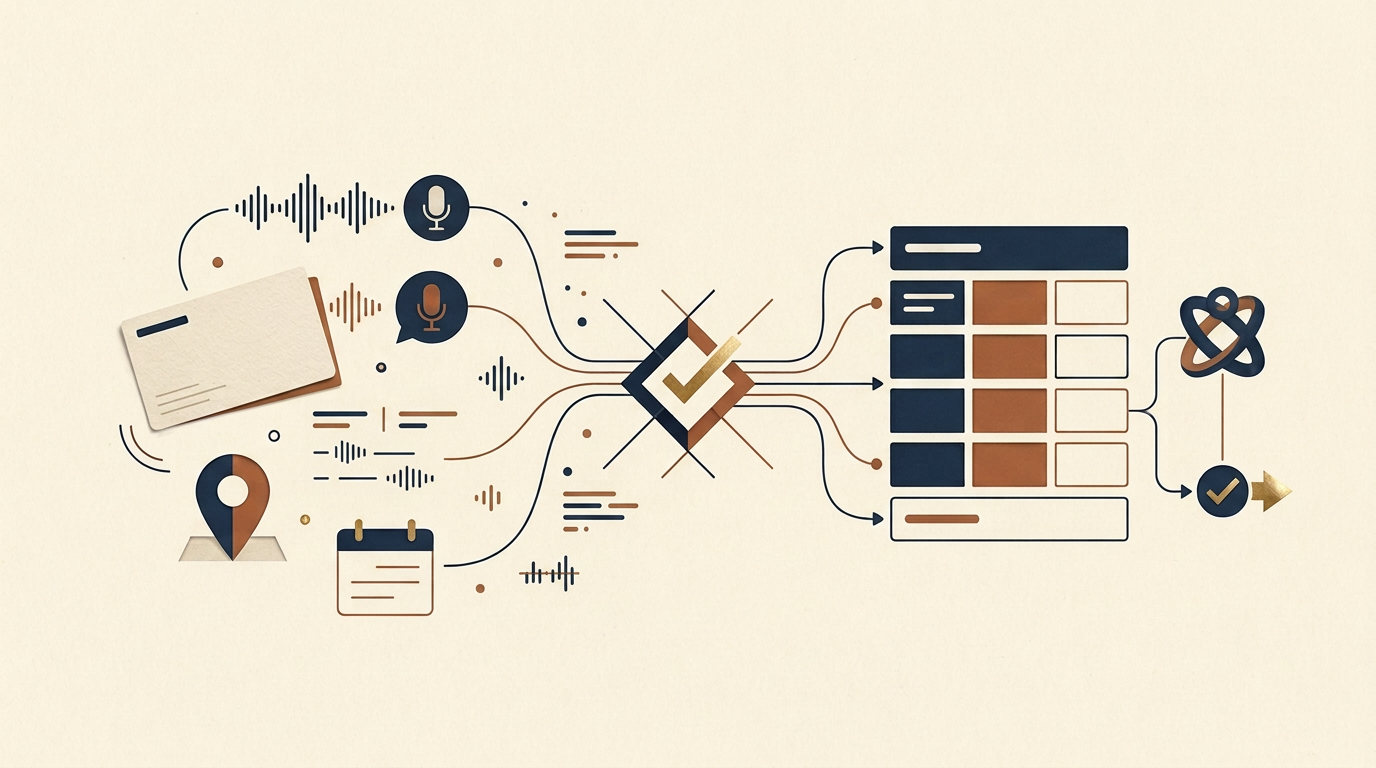
There is no rigid field order. A rough note such as “Ramesh, 500 units, ISI certified, month end, Pune, speak to the plant manager” can be enough. Lead capture automation can extract configured fields such as requirement, quantity, timeline, location, and next step.
Speak It Like A Manager Brief
Voice to CRM capture lets a rep describe the meeting in the order details come to mind. This is the practical appeal of voice CRM automation. People speak faster than they type, and a twenty-second note in a car park is more reliable than a form completed from memory three days later.
Photograph The Card, Then Add The Conversation
A visiting card scanner or AI business card scanner can extract printed contact details from an image. Data Extraction handles that visible information. The requirement, urgency, and decision context still need to come from the conversation.
A scanned card without context is a contact. With validated context, it can become a useful lead.
A Governed Capture Sequence
Capture → Extract → Validate → Check For Duplicates → Prepare A Permitted Action → Assign → Confirm
Uncertain values return to a person. The existing CRM remains the system of record throughout.
Where Does CRM Workflow Automation Stop?
An agent should not receive unrestricted control of the CRM. A properly designed Agentic Workflow Automation layer follows defined permissions, field mappings, validation rules, duplicate checks, and review steps.
It can prepare an authorised create-or-update action and assign the next task. Ambiguous matches, low-confidence fields, or sensitive changes go to a person. Salesforce, HubSpot, Zoho, or another approved CRM remains responsible for the record itself.
This is CRM data entry automation with boundaries. Governed AI agents support the human workforce by removing repetitive structuring and coordination. They do not replace account judgement or relationship ownership.
Is This Only A Trade Show Problem?
No. It appears wherever a useful conversation happens away from a desk.
| Industry | Where The Leak Happens | What Usually Gets Lost |
|---|---|---|
| Manufacturing And Distribution | Plant visits and dealer meetings | Specification, quantity, delivery timeline |
| Banking And Financial Services | Branch visits and relationship-manager meetings | Service interest and follow-up owner |
| Education | Campus visits and admissions events | Programme interest and counsellor follow-up |
| Logistics | Client site meetings | Route, volume, and service timeline |
| Travel And Hospitality | In-person consultations | Dates, group size, and preferences |
Trade show lead capture and event lead capture software receive the most attention because the volume is visible. Dozens of conversations can happen in two days. Yet the same leak occurs one conversation at a time across manufacturing, banking and financial services, logistics, travel, and education.
A Few Things Worth Settling
Why not ask reps to be more disciplined? Because discipline does not change the design of the moment. If a task always loses to travel and urgent follow-up, the task needs a better interface.
Can a voice note become clean CRM data? Yes, when extraction is followed by validation and uncertainty is surfaced. The workflow must not guess silently.
Does a card scan capture the lead? It captures printed contact details. The actual buying context still lives in the conversation.
Is more AI the answer? Not by itself. Gartner's warning is useful because it separates adoption from productivity. The valuable system is narrow enough to remove one point of friction and governed enough not to create a new one.
And It’s A Wrap
Inside sales and field sales were never unequal in value. They were unequal in tooling. One became automated because it was born digital. The other is still catching up because the moment of value creation happens away from a keyboard.
The fix is not asking reps for more discipline. It is not adding more AI tools either. It is building mobile lead capture around the thirty seconds reps actually have: type it, speak it, or photograph it, then structure and validate it while the CRM stays in control.
Your field team is already having the right conversations. The question is whether your systems can capture all of them, or only the ones somebody remembered to type.