
Intelligent Video Analytics: How AI Turns Camera Feeds Into Business Action
Intelligent video analytics does more than detect movement. It transforms live and recorded video into structured operational data that can improve safety, security, compliance and decision-making.
By Team Mimasa AI · September 4, 2026 · 14 min read
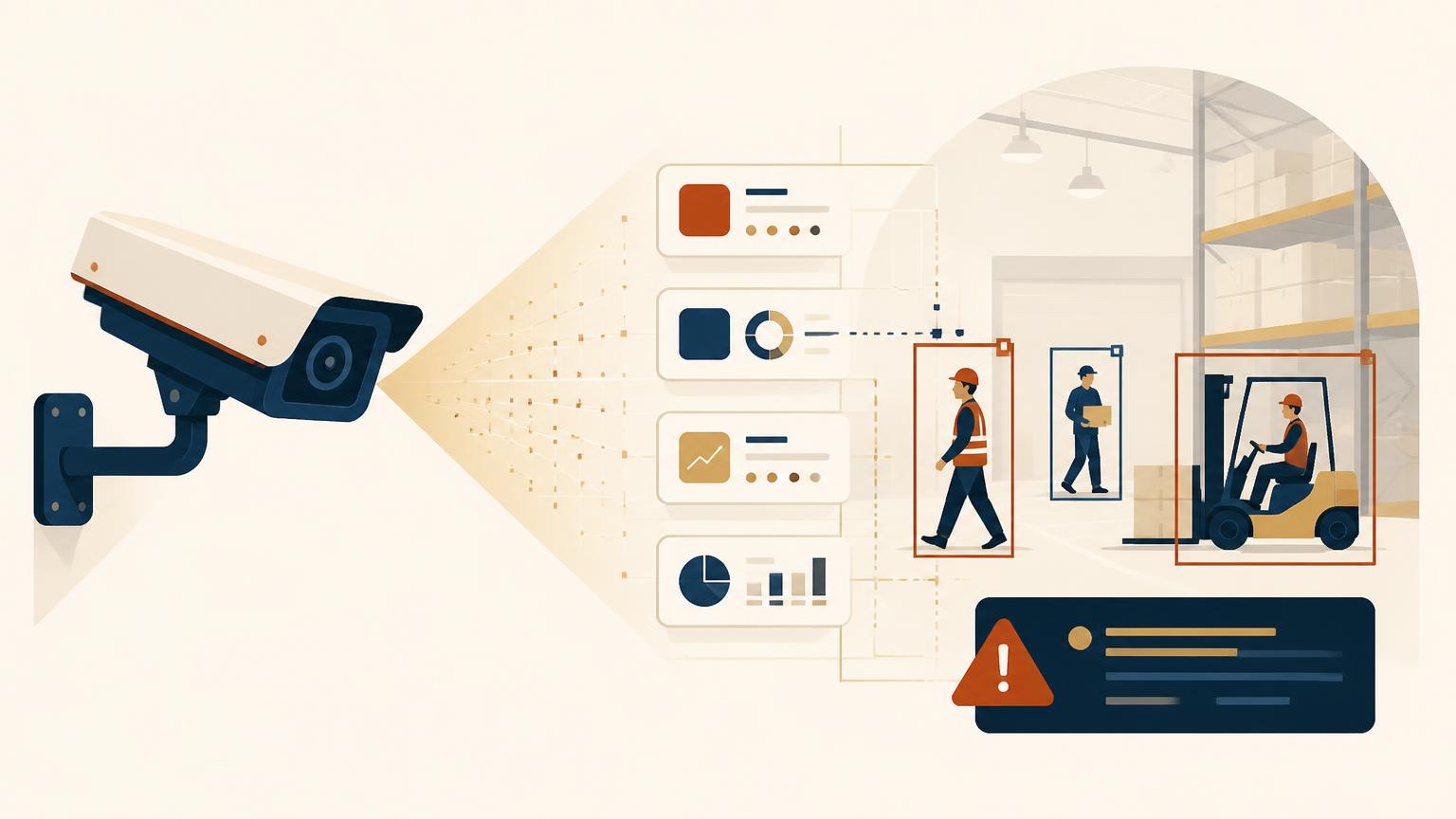
A typical enterprise camera produces thousands of hours of footage during its operating life. Yet unless an incident occurs, most of that footage is never reviewed or converted into useful operational information.
Intelligent video analytics changes that equation. Instead of treating cameras only as recording devices, it uses artificial intelligence and computer vision to interpret what is happening, convert visual events into structured data and help an organization decide what to do next.
That distinction matters. The value of a camera is no longer limited to documenting an event after it happens. An intelligent video analytics system can detect a developing queue, identify entry into a restricted zone, flag a missing item of personal protective equipment, measure loading-bay activity or surface an unusual movement pattern while there is still time to respond.
The opportunity is significant—but so are the implementation challenges. Accuracy changes with lighting, camera placement and operating conditions. Privacy requirements depend on what data is collected and how it is used. And an alert that never reaches the right person is not an operational outcome.
This guide explains how intelligent video analytics works, where it creates practical business value and what enterprises should evaluate before deploying it.
What Is Intelligent Video Analytics?
Intelligent video analytics is the automated interpretation of live or recorded video using computer vision, machine learning and, increasingly, multimodal AI.
Traditional surveillance systems primarily capture and store footage. Basic video analytics may detect motion or apply fixed rules, such as triggering an alert when pixels change inside a defined area. AI-powered video analytics can go further by identifying and classifying objects, tracking movement, recognizing patterns and associating an event with operational context.
Depending on the use case, intelligent video analytics software may be configured to:
- Detect people, vehicles, equipment or other objects
- Count people or assets entering and leaving an area
- Track movement across zones
- Identify line crossing, loitering or restricted-area access
- Detect falls, crowd formation or unsafe proximity
- Monitor personal protective equipment compliance
- Measure queues, dwell time and space utilization
- Read visible text, labels or identification codes
- Generate searchable metadata from recorded footage
- Trigger alerts or downstream business workflows
Facial recognition is only one specialized—and particularly sensitive—application. An organization can use intelligent video analytics for object detection, occupancy monitoring, safety or process analysis without identifying individual people.
The central idea is simple: cameras capture visual evidence, while an intelligent video analytics platform converts that evidence into data that people and enterprise systems can use.
Why Video Analytics Is Becoming Operational Technology
The development of video analytics reflects the convergence of several technologies: improved computer-vision models, more affordable computing, edge processing, cloud infrastructure and access to larger training datasets.
McKinsey identified this convergence early, observing that video data could add context that simpler IoT sensors could not capture. Its analysis highlighted operations, public safety, maintenance and productivity as important applications of video analytics across cities, retail locations, vehicles and worksites. It also warned that integration and privacy—not simply image recognition—would determine whether these systems delivered value. That observation remains highly relevant today. Read McKinsey’s analysis.
More recent work from BCG X reaches a similar conclusion in industrial environments. Based on its analysis of hundreds of implementations, BCG estimates that AI and machine-vision applications could unlock $8 billion in potential industry impact. In one plant assessment, BCG identified $13 million in potential cost reduction. These are BCG estimates rather than universal results, but they demonstrate why enterprises are evaluating machine vision beyond conventional surveillance.
BCG also identifies a frequent point of failure: companies successfully build a detection algorithm but fail to connect its output to an operational decision. In its words, organizations often struggle to “close the loop” between machine vision and actionable insight. Review the BCG X analysis.
That is the real shift taking place. Video analytics is moving from a security-room application to an operational intelligence layer.
How an Intelligent Video Analytics System Works
Although implementations differ, most intelligent video analytics solutions follow six functional stages.
1. Capture the video source
The system receives a live stream, recorded video or selected image frames from cameras and video-management infrastructure.
Camera resolution matters, but resolution alone does not determine performance. Frame rate, compression, viewing angle, lighting, distance from the subject, occlusion and movement can all affect whether a model sees an event clearly enough to classify it.
2. Process video at the edge, in the cloud or both
An edge deployment processes video close to the camera or operating site. This can reduce latency, limit bandwidth requirements and keep sensitive footage within a controlled environment.
Cloud processing provides access to scalable compute and centralized management across sites. A hybrid design may process urgent detections locally while sending selected metadata or events to a central platform.
The right architecture depends on response time, connectivity, camera volume, retention policies, security requirements and model complexity.
3. Detect and classify objects or events
Computer-vision models analyze frames to locate people, vehicles, equipment, movement or other defined objects. Tracking models can then follow an object across successive frames.
The model may also evaluate relationships. A person inside a marked zone, a forklift approaching a pedestrian, or an unattended object remaining in one location for a defined period can become a meaningful event.
4. Convert detections into structured metadata
Raw video is difficult to search and aggregate. A video intelligence solution can turn detections into structured records containing information such as:
- Timestamp
- Camera and location
- Event category
- Zone
- Duration
- Confidence score
- Severity
- Supporting image or clip
- Review or resolution status
This metadata makes it possible to compare events across cameras, shifts, facilities and time periods.
5. Apply business context
A detection is not automatically a business problem.
For example, a person entering a controlled area may be permitted during one shift but not another. A queue of eight people may be acceptable in one location and require intervention in another. A vehicle remaining stationary could indicate a loading operation, congestion or an equipment problem.
The video analytics platform therefore needs rules, thresholds and operational context—not only an accurate model.
6. Trigger a response
The final stage connects an event to action. Depending on the organization, the system could:
- Alert a security or safety team
- Notify a floor supervisor
- Create an incident ticket
- Request human verification
- Update an operations dashboard
- Generate a compliance record
- Escalate an unresolved event
- Initiate a connected workflow
This is where intelligent video analytics becomes more than monitoring.
Where Intelligent Video Analytics Creates Business Value
Workplace safety and manufacturing
The scale of workplace risk provides a clear reason to improve situational awareness. The U.S. Bureau of Labor Statistics recorded 5,070 fatal work injuries in 2024—equivalent to one worker death every 104 minutes.
Transportation incidents accounted for 1,937 fatalities, while falls, slips and trips accounted for 844. These figures do not measure the effect of video analytics, and installing cameras should never be presented as a substitute for safety engineering, training or supervision. They do, however, quantify the operational problem that safety teams are trying to address. See the 2024 BLS Census of Fatal Occupational Injuries.
In a manufacturing or industrial environment, smart video analytics may support:
- PPE compliance monitoring
- Restricted-zone detection
- Pedestrian and equipment proximity alerts
- Fall or collapse detection
- Process-step verification
- Production-flow monitoring
- Visual quality inspection
- Loading and unloading analysis
The strongest deployments begin with a narrowly defined event and response. “Improve factory safety” is too broad. “Detect a person entering this hazardous zone while the machine is active and notify the shift supervisor” is testable.
Organizations evaluating industrial applications can connect these use cases with broader manufacturing and supply-chain intelligence.
Retail operations
Retail video analytics is often discussed only as a loss-prevention tool. Its operational uses are broader.
Existing camera feeds can potentially help retailers understand:
- Store entry and exit volumes
- Queue length and waiting time
- Dwell time by zone
- Congestion around displays
- Space utilization
- Checkout demand
- After-hours access
- Unusual object movement
The distinction between counting and identifying people is important. Anonymous footfall or occupancy analysis has a different privacy profile from facial recognition or demographic classification.
A well-designed retail implementation should connect observation with a decision. If queue length exceeds a threshold, should another checkout open? If traffic patterns change, should staffing or store layout be reviewed? Without such actions, heatmaps can become attractive dashboards that produce little economic value.
Explore how these capabilities can connect with retail and e-commerce operations.
Warehousing, transportation and logistics
Warehouses and distribution environments contain continuous movement involving people, vehicles, loading docks and inventory. A video analytics system can convert portions of that movement into measurable events.
Potential applications include:
- Dock occupancy and turnaround time
- Vehicle arrival and departure
- Loading-zone congestion
- Forklift and pedestrian interaction
- Queue formation at gates
- Idle assets
- Unauthorized entry
- Repeated bottlenecks by shift or location
The BLS data illustrates why transportation-related events deserve particular attention: transportation incidents represented 38.2% of U.S. occupational fatalities in 2024.
However, a camera should not be expected to solve process problems alone. Video-derived events become more valuable when combined with warehouse, fleet, shift or order data. A long loading-bay dwell time may look like an exception in video but be entirely expected for a particular shipment type.
This is why a useful logistics and transportation intelligence architecture combines visual evidence with operational systems.
Healthcare and care environments
Healthcare applications require especially careful governance because video may capture patients, staff and sensitive situations.
Potential non-diagnostic applications include:
- Fall detection
- Patient elopement alerts
- Restricted-area monitoring
- Occupancy and flow analysis
- Queue monitoring
- Equipment movement
- Environmental safety events
Accuracy requirements must be evaluated within the intended environment. A model tested in a bright, controlled space may perform differently in a crowded ward, at night or when a person is partly obscured.
Human review is essential when an alert may affect patient care, employee action or access. Video analytics should support clinical and operational teams, not make unsupported clinical judgments.
Smart cities and public infrastructure
Traffic intersections, transit facilities, parking areas and public spaces produce visual data that can support planning and real-time operations.
Possible applications include:
- Vehicle and pedestrian counts
- Traffic-flow analysis
- Wrong-way movement
- Queue development
- Crowd-density monitoring
- Restricted-area access
- Unattended-object detection
- Incident verification
The Federal Highway Administration reports that transportation events remain a major source of fatalities, while its intersection-safety program uses national crash data to identify and address high-risk conditions. Video analytics can provide additional operational information, but any public-sector deployment must also address proportionality, transparency, retention and public accountability.
What Intelligent Video Analytics Cannot Do Reliably by Default
Marketing often presents AI video analytics as if a model can be connected to any camera and immediately understand every environment. Real systems are more conditional.
Accuracy is environment-specific
A vendor’s overall accuracy percentage says little without explaining:
- The event being measured
- The test dataset
- Camera position
- Lighting conditions
- Object distance
- Weather
- Crowd density
- Definition of a correct detection
- False-positive and false-negative rates
Accuracy should be validated using footage from the intended deployment environment.
A high number of alerts can reduce safety
Even a statistically accurate model may create operational failure if it produces too many low-value alerts. Teams begin to ignore notifications when the signal-to-noise ratio is poor.
Measure false alerts per camera per day, not just an abstract accuracy percentage.
Detection is not causation
A camera may observe a person falling, a queue growing or a vehicle remaining stationary. It cannot automatically determine every underlying cause. Video events often need to be combined with process data and human knowledge.
Facial recognition introduces additional risk
NIST’s ongoing Face Recognition Technology Evaluation shows that false-positive and false-negative behavior can differ with image quality and demographic characteristics. Lighting, exposure, camera angle and representation in training data can all affect outcomes. Review NIST’s demographic-effects evaluation.
The Federal Trade Commission has also warned businesses that misleading claims, weak security, undisclosed collection and failures to assess foreseeable harms involving biometric information may raise enforcement concerns. Read the FTC biometric-information policy statement.
For U.S. deployments, organizations should obtain qualified legal guidance on applicable federal, state and local requirements. This article is not legal advice.
How to Choose an Intelligent Video Analytics Platform
The right platform is not necessarily the one with the longest feature list. It is the one that performs the required task in the organization’s actual environment and connects that result to a useful response.
Evaluate these areas before buying.
Use-case fit
Define the event, required response and business owner. A safety use case and a retail footfall application may require very different models, thresholds and governance.
Measured performance
Request testing against representative footage. Examine precision, recall, false-positive frequency, false negatives and performance under difficult conditions.
Camera and system compatibility
Confirm which feeds, formats, camera environments and video-management systems are supported. Determine whether new hardware is necessary or existing infrastructure can be reused.
Deployment architecture
Compare cloud, edge, hybrid and on-premises options based on latency, bandwidth, data location, resilience and security.
Integration and automation
Ask what happens after an event is detected. Can the system create a ticket, update an operational application, notify the correct team or initiate an approval?
Reporting and analysis
Look beyond real-time alerts. Structured historical events should support trend analysis, location comparisons, compliance reporting and management review.
Privacy and governance
Review data minimization, retention, access control, audit logs, encryption, model monitoring and human oversight.
The NIST AI Risk Management Framework offers a useful structure through four connected functions: Govern, Map, Measure and Manage. It is voluntary, but it gives enterprises a practical language for evaluating AI risks throughout the system lifecycle. Explore the NIST AI RMF.
Total operating cost
Include more than software licensing. Consider cameras, edge hardware, cloud compute, network capacity, storage, integration, model maintenance, human review and support.
A Practical Implementation Roadmap
1. Select one measurable operational problem
Choose a problem with a clear event, owner and response. Establish the existing baseline before introducing the system.
2. Assess the camera environment
Review coverage, angle, resolution, lighting, network availability and whether the relevant event is consistently visible.
3. Define success metrics
Useful metrics may include:
- Recall for critical events
- False alerts per camera-day
- Median alert latency
- Human verification time
- Incident response time
- Percentage of events resolved
- Operational savings or avoided rework
4. Run a controlled pilot
Test across representative shifts, weather, lighting, crowd levels and operating conditions. Do not evaluate only on ideal footage.
5. Design the human response
Specify who receives an event, what evidence they see, when they must respond and when an escalation occurs.
6. Integrate with business systems
Connect validated detections with ticketing, messaging, operational databases, dashboards or workflow tools.
7. Monitor after deployment
Camera positions change. Lighting changes. People adapt processes. Models and thresholds therefore require ongoing monitoring.
BCG’s implementation guidance emphasizes this combination of value selection, scalable architecture, real-world testing, usable interfaces and team enablement. The technology is only one part of the operating model.
From Video Detection to Agentic Action
Many video analytics solutions end with an alert. Mimasa AI is designed to extend the process from visual detection into analysis, reporting and workflow execution.
Its intelligent video analytics platform converts detected events into structured operational intelligence. Those events can support:
- Live and historical dashboards
- Incident and compliance summaries
- Location and shift comparisons
- Automated alerts and escalations
- Human approval steps
- Downstream enterprise workflows
- Executive reports and presentations
Through agentic workflow automation, an event can be routed into a governed response instead of remaining isolated inside a monitoring screen. Teams can also use data visualization and dashboards to examine patterns and AI-assisted reporting to turn event histories into operational summaries.
This does not remove the need for validation or human judgment. Critical decisions can remain human-supervised while repetitive monitoring, routing and documentation are automated.
The Future of AI Video Analytics
Four developments are likely to shape the next generation of video analytics technology.
Multimodal understanding
Instead of processing images in isolation, multimodal models can combine video, images, text and audio. Gartner expects multimodal AI to become increasingly integral to software capabilities over the next five years because combining different data types can help systems interpret more complex situations. See Gartner’s 2025 AI Hype Cycle commentary.
Natural-language video search
Operators will increasingly search footage by describing an event instead of manually reviewing timelines. Video can become a queryable operational record.
Video analytics AI agents
NVIDIA describes emerging video analytics AI agents as systems that combine vision and language models to search, summarize and reason over live or recorded streams. The important development is not simply better detection; it is the ability to interpret an event in context and coordinate a response. Explore NVIDIA’s video analytics AI-agent overview.
Stronger governance and privacy controls
As video models become more capable, enterprises will need tighter controls around purpose, access, retention, explainability and human oversight. Trust will become a system requirement rather than a compliance appendix.
Intelligent Video Analytics Is Valuable When It Changes a Decision
The promise of intelligent video analytics is not that every camera becomes autonomous. It is that visual events that were previously unnoticed, unstructured or trapped in recorded footage can become timely operational information.
Real value depends on four things working together:
- The camera must capture the relevant event.
- The model must detect it reliably in the intended environment.
- The organization must understand its operational meaning.
- The result must reach a person or system capable of acting.
Enterprises should therefore begin with a measurable problem, test with representative footage, retain human oversight and connect detections with existing operational processes.
That is how video progresses from passive evidence to active intelligence—and from intelligence to business action.
Turn Camera Feeds Into Business Action
Explore how Mimasa AI turns camera feeds into alerts, analytics, reports and automated workflows.